
BIT Onboarding Guide
Step-by-step guide to create your BIT account, complete verification, and subscribe to Robuxio's systematic portfolios.
Portfolio Options
Clients looking to allocate $50k+ can access our High Sharpe High Vol portfolios directly on BIT, without needing to connect to our trading engine via API or have access to Binance/Bybit Futures accounts.
Minimum initial allocation: $50,000. PnL measured and settled in USD.
Choose this if your goal is to grow your account in USD and want reporting and PnL in USD terms.
Minimum initial allocation: 0.5 BTC. BTC-settled and designed to accumulate BTC over time.
Choose this if your goal is to grow your BTC stack and want reporting and PnL in BTC terms.
What You'll Need
USDT or BTC to invest into our portfolios. If USDC is the only available stablecoin on your current exchange, you can deposit it onto BIT and convert it into USDT.
Step-by-Step Onboarding
Follow these steps to create your account, complete verification, deposit funds, and subscribe to your chosen portfolio.
Part 1: Account Creation
Sign Up For A BIT Account
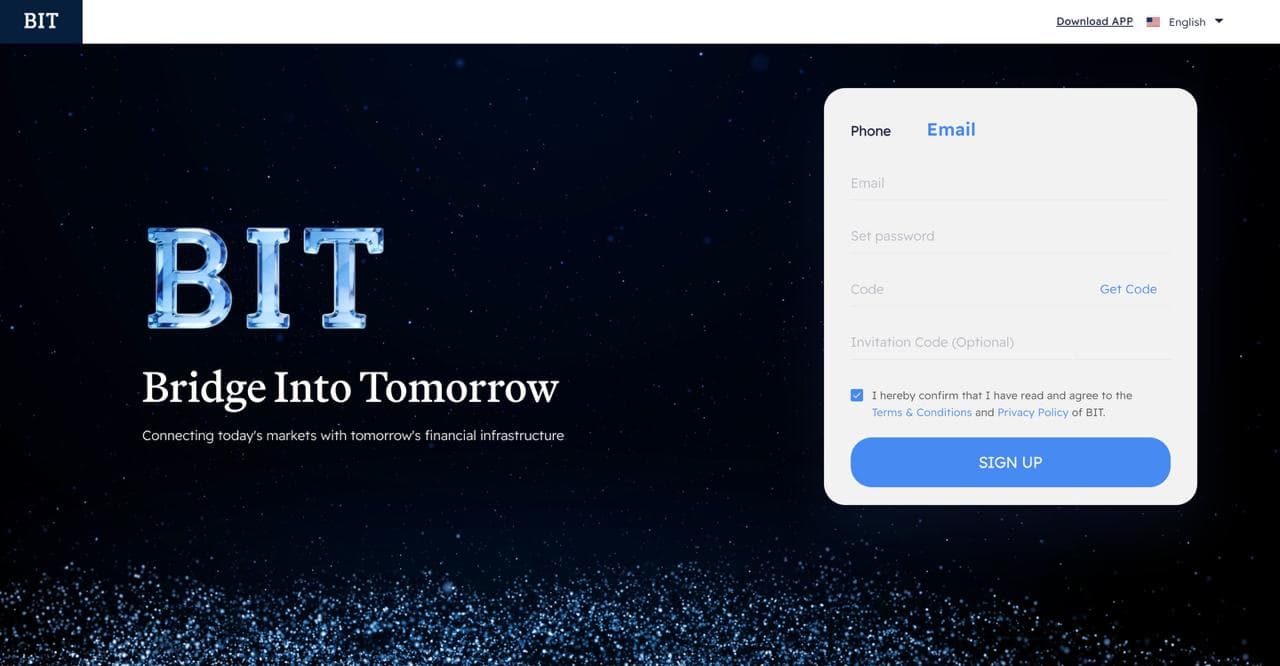
Use the link below to sign up for a BIT account on your desktop. You will need to fill in your email and set a password.
Request Email Verification Code
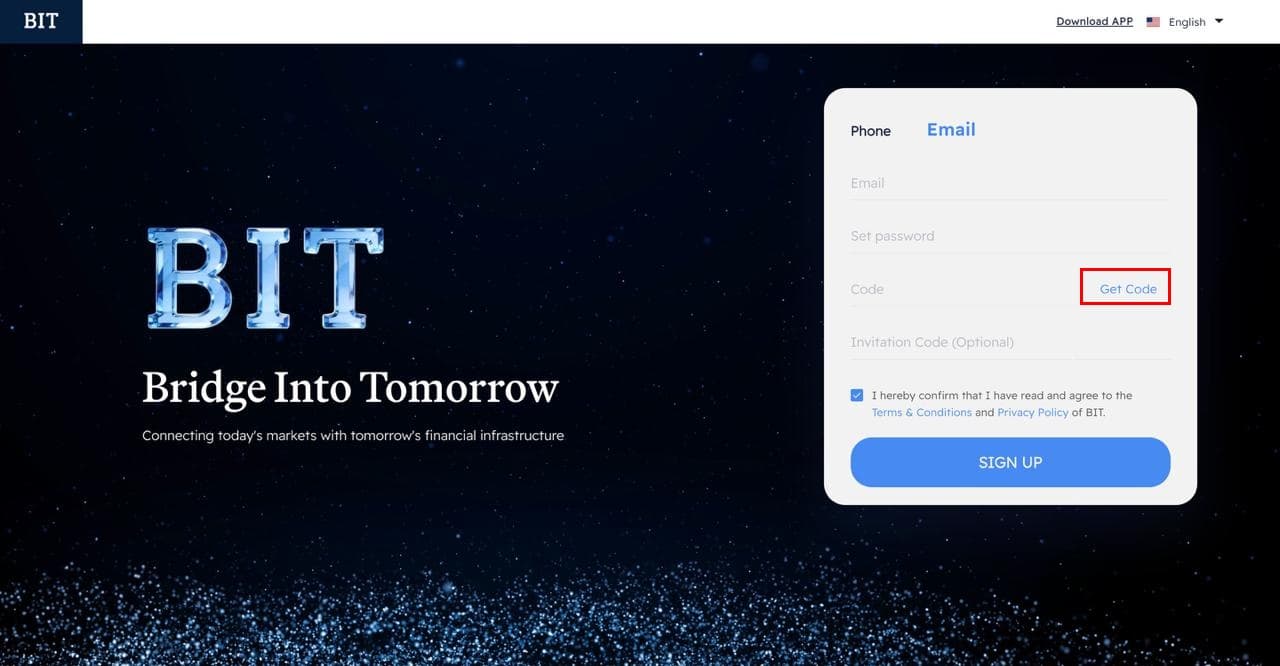
Once you have filled in your email address and set your password, press "Get Code" to receive an email confirmation code.
Complete Email Verification
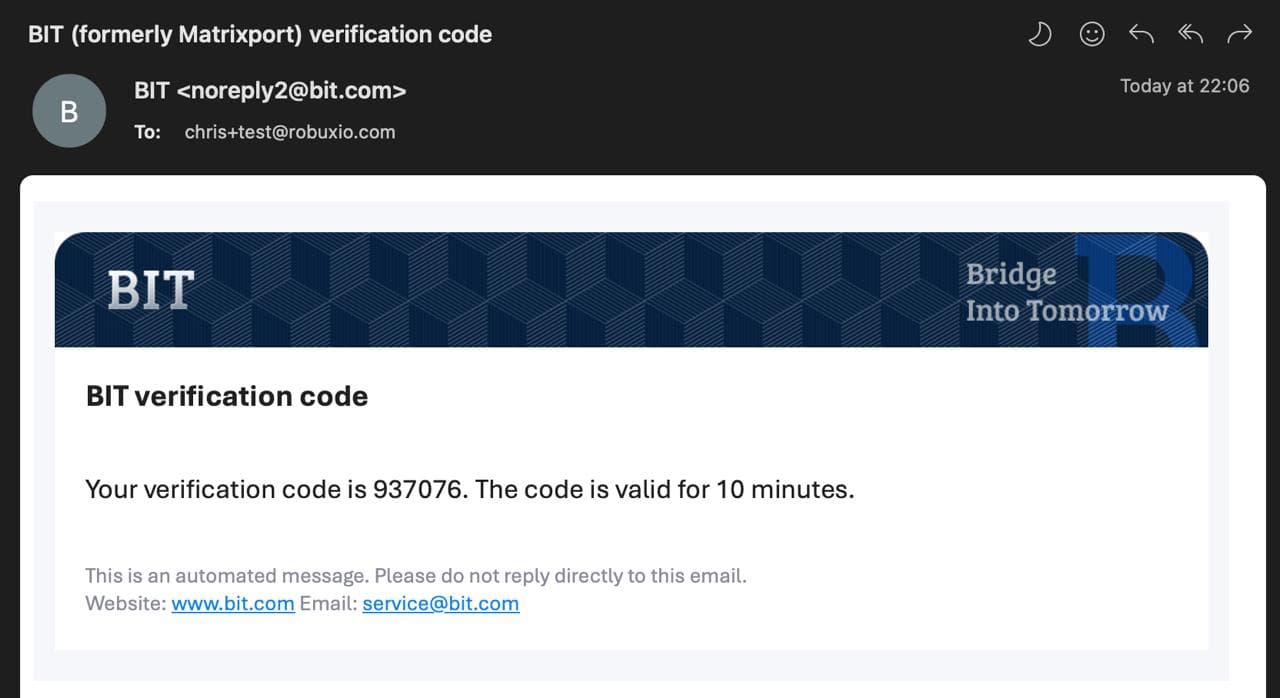
You will receive an email from noreply2@bit.com with your verification code.
Input the verification code into the box next to the "Get Code" button and press "Sign Up".
Download The BIT App
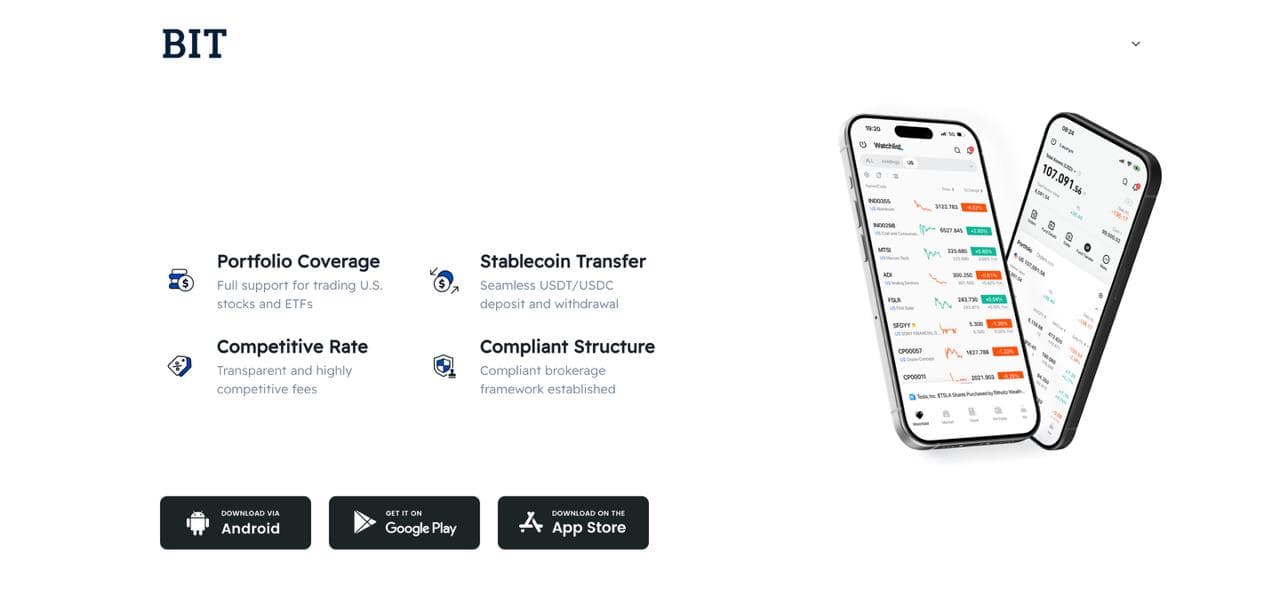
After signing up, download the BIT app to your phone.
Android: Download from Google Play
iPhone: Download from the App Store
⚠️ Some iPhone users may not find the app in their regional App Store. If so, download TestFlight first, then follow this TestFlight guide.
Login To The BIT App
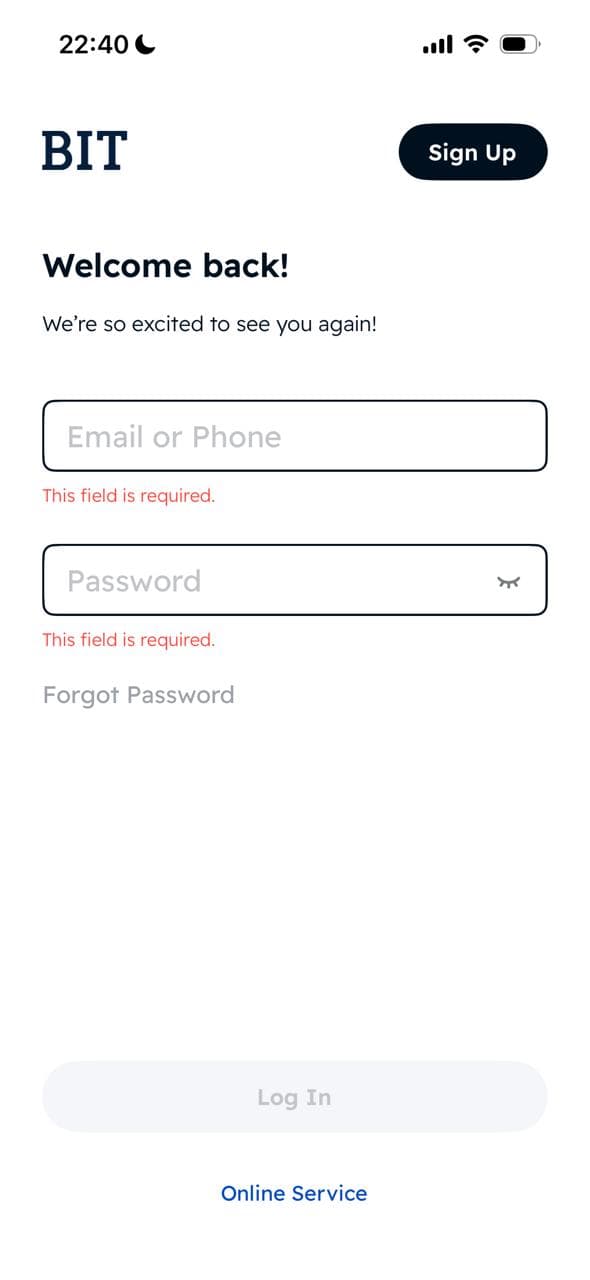
Open the BIT app and login with the same credentials you created on the desktop sign-up page.
Part 2: Identity Verification & Security
Navigate To Identity Verification
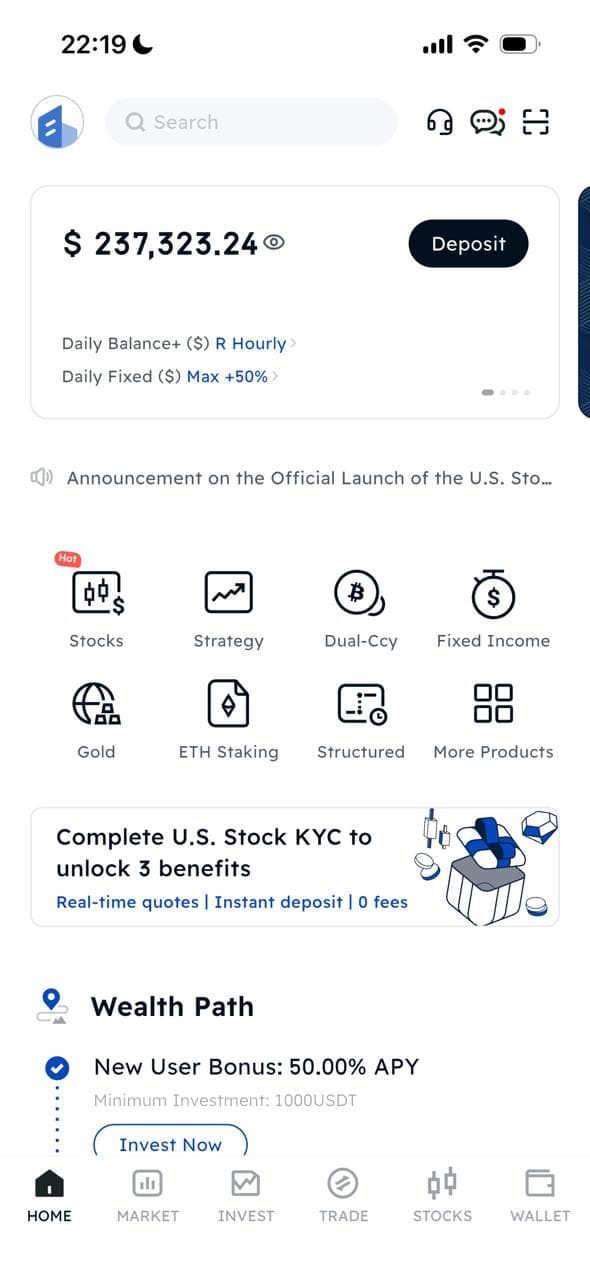
Tap your profile icon in the top-left corner, then select "Identity Verification" from the settings menu.
Complete KYC Requirements
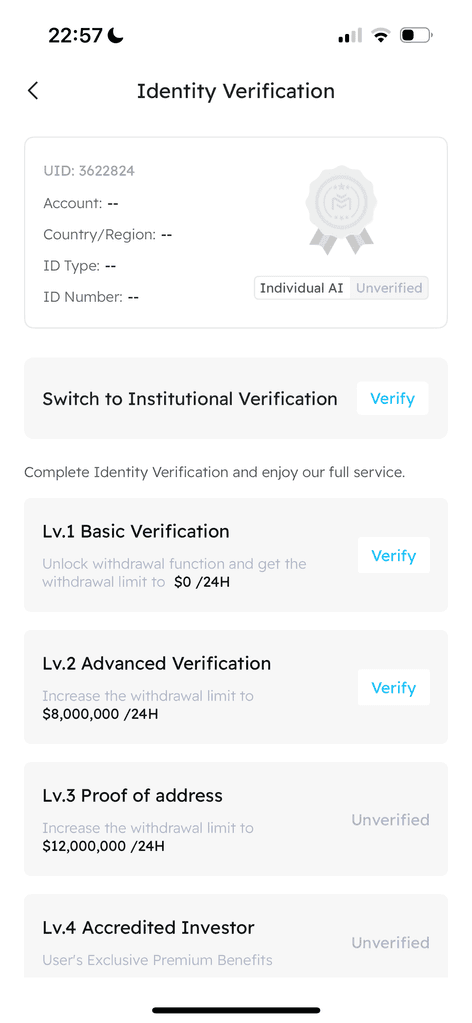
Choose whether you are verifying as an institution or an individual.
⚠️ Important: Make sure to complete verification for both Lv.1 and Lv.2.
Set Up Account Security
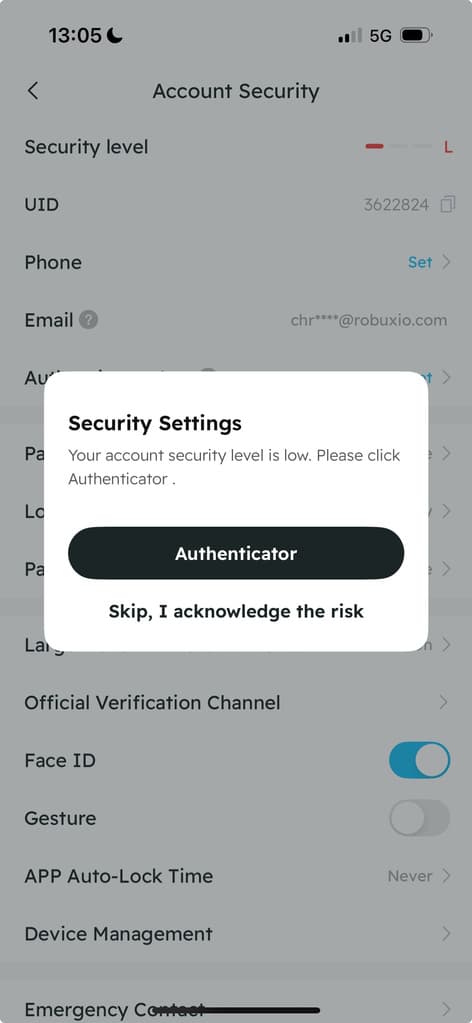
Navigate to your profile and select "Account Security".
We strongly recommend setting up Two-Factor Authentication (Authenticator app). We also encourage adding further account security features.
Part 3: Deposit Funds
Navigate To Your Wallet
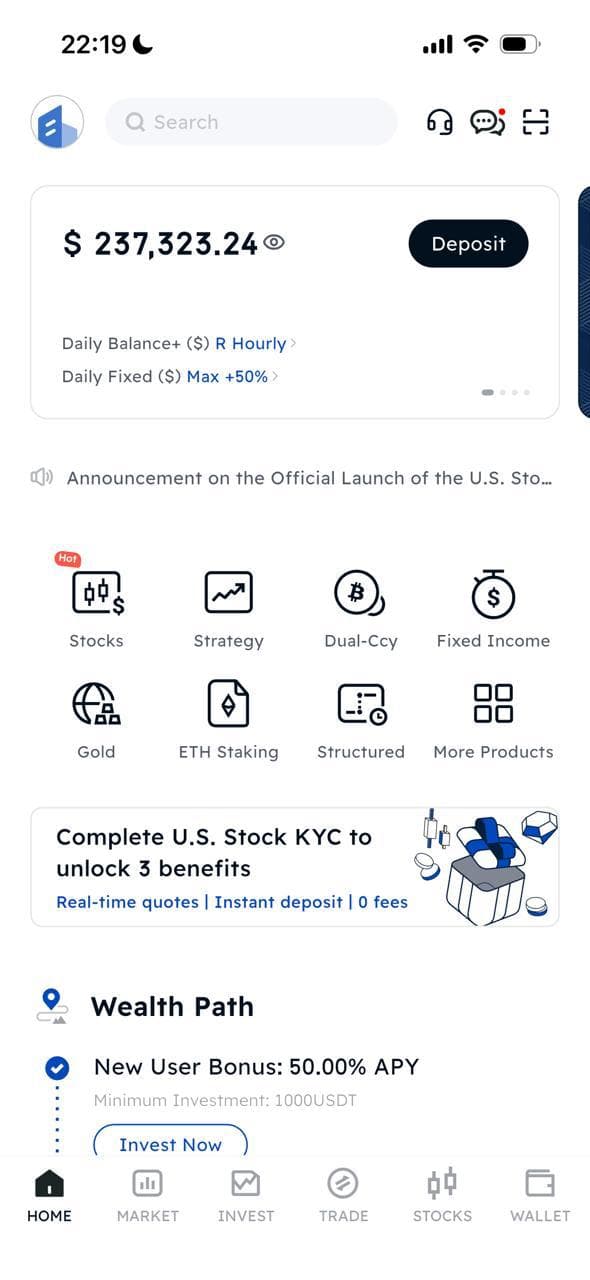
Tap "Wallet" in the bottom navigation bar, then tap "Deposit".
Select Deposit Crypto
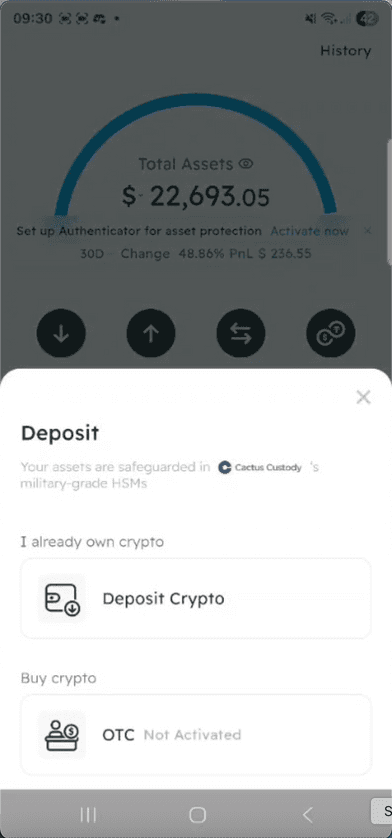
When the deposit pop-up appears, select "Deposit Crypto" under "I already own crypto".
Select Your Cryptocurrency
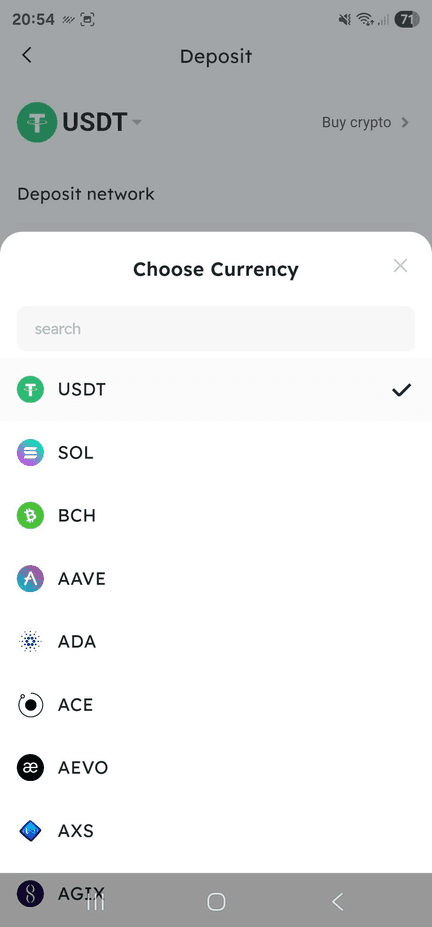
Select the cryptocurrency you would like to deposit — preferably USDT or BTC as you will be able to use them immediately in your portfolio.
For EU residents who do not have access to USDT, you can deposit USDC and trade it to USDT on BIT.
Choose The Deposit Network
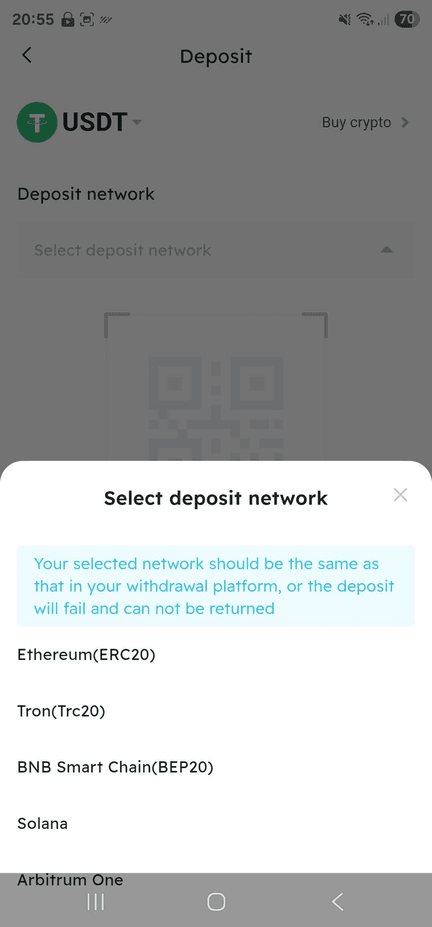
Select the network you would like to send the crypto with.
⚠️ Your selected network must match the withdrawal network on your current exchange, or the deposit will fail and cannot be returned.
Copy Deposit Address & Send Funds
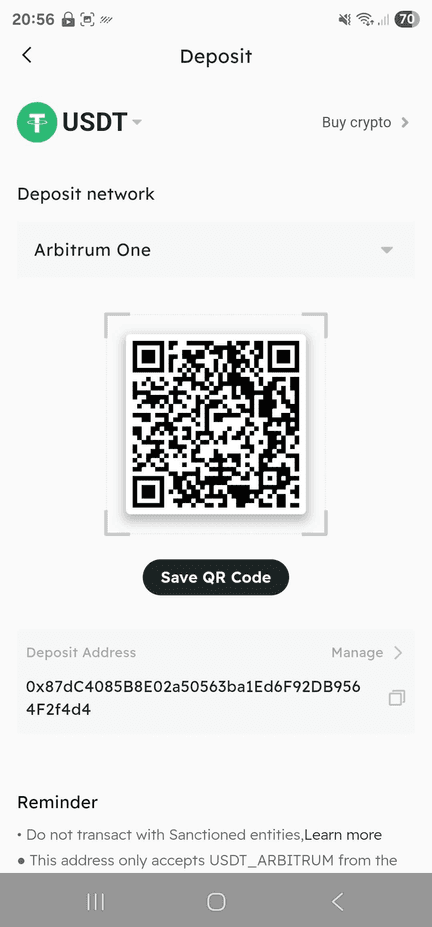
Copy the deposit address and use it as the destination address when sending from your current exchange.
🚨 VERY IMPORTANT: We recommend sending a small amount first to ensure you have the correct address. Triple-check that you have copy-pasted the address correctly.
Confirm Deposit Arrival
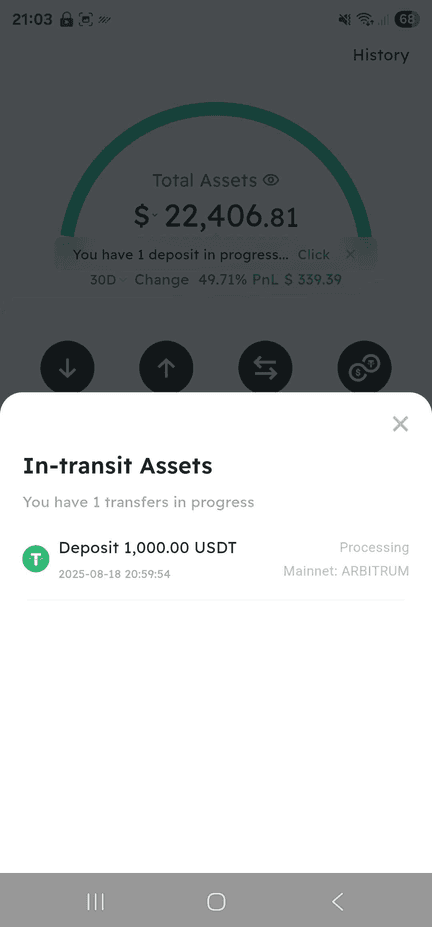
Shortly after initiating your deposit, it will show as in transit. Once successful, you will receive a confirmation email.
Part 4: Subscribe To Portfolio
Navigate To The Strategy Page
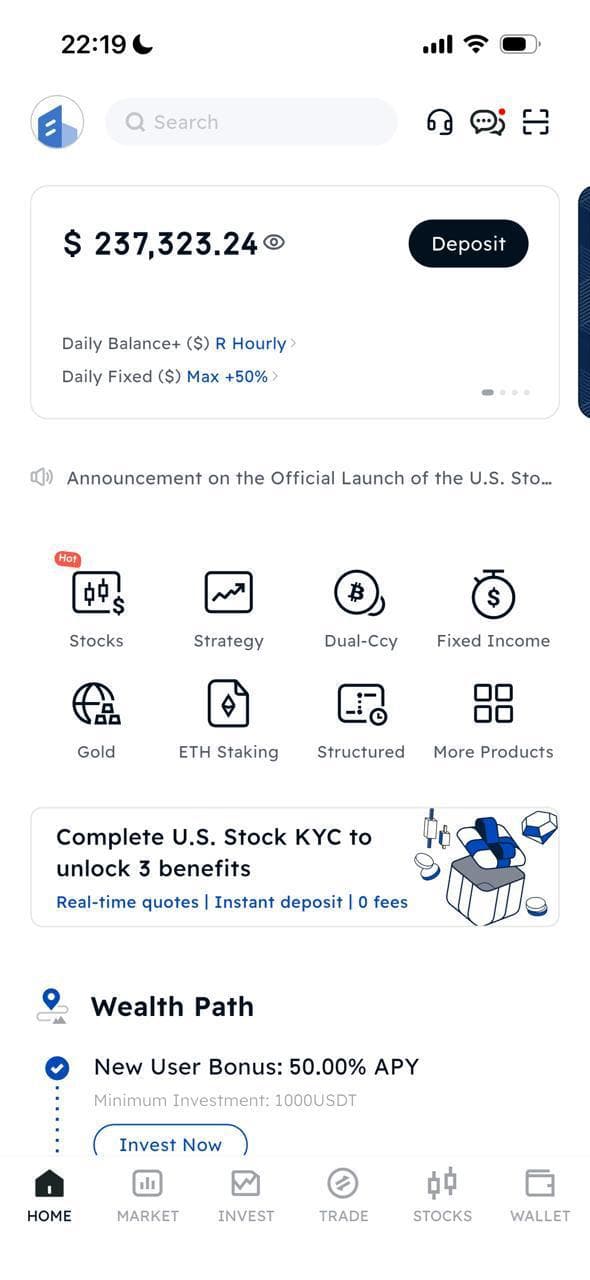
Once your deposit is confirmed, navigate to the "Strategy" page. It's one of the center icons on the home screen.
Open The Strategy Search
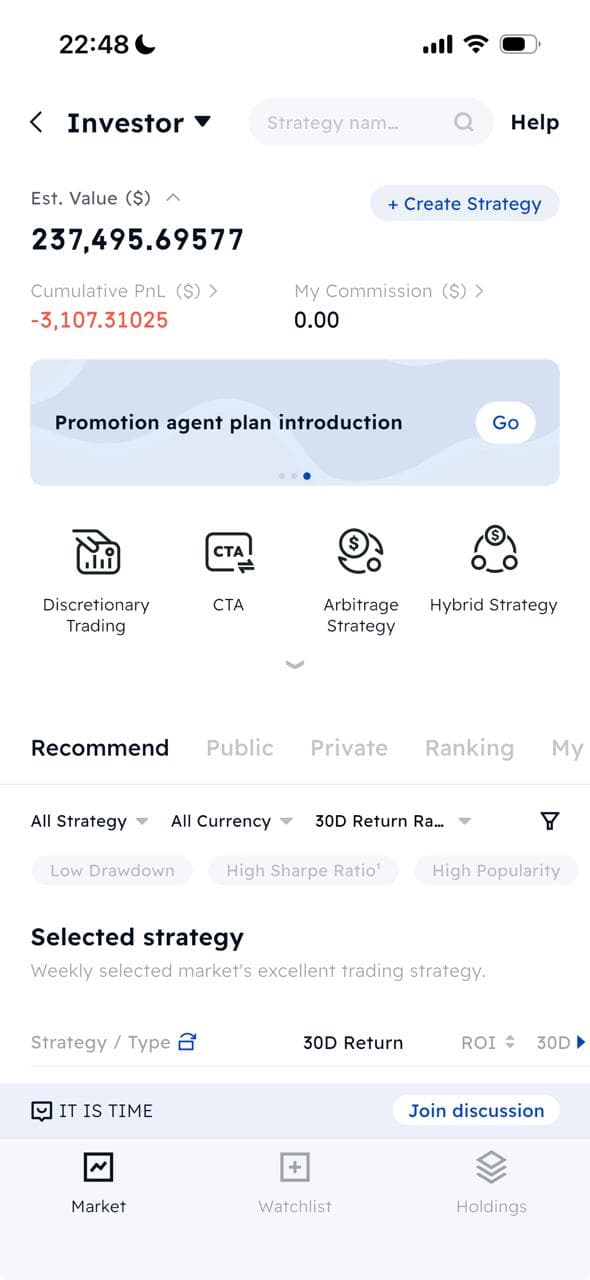
Make sure you have "Investor" selected and open the search bar next to it.
Find Your Portfolio Using Access Code
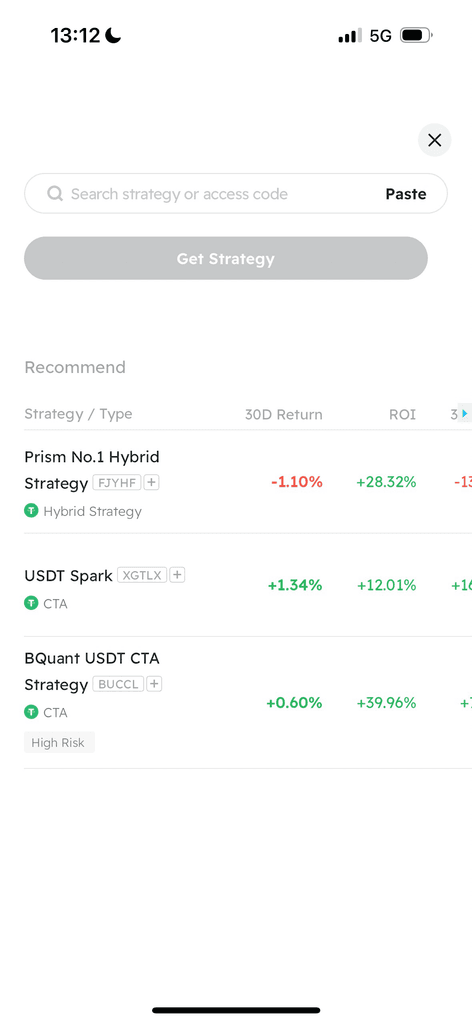
Type the corresponding access code for your chosen portfolio into the search bar:
- High Sharpe High Vol (BTC collateral) → AB000
- High Sharpe High Vol (USDT collateral) → ZB063
Then press "Get Strategy".
Confirm Your Portfolio
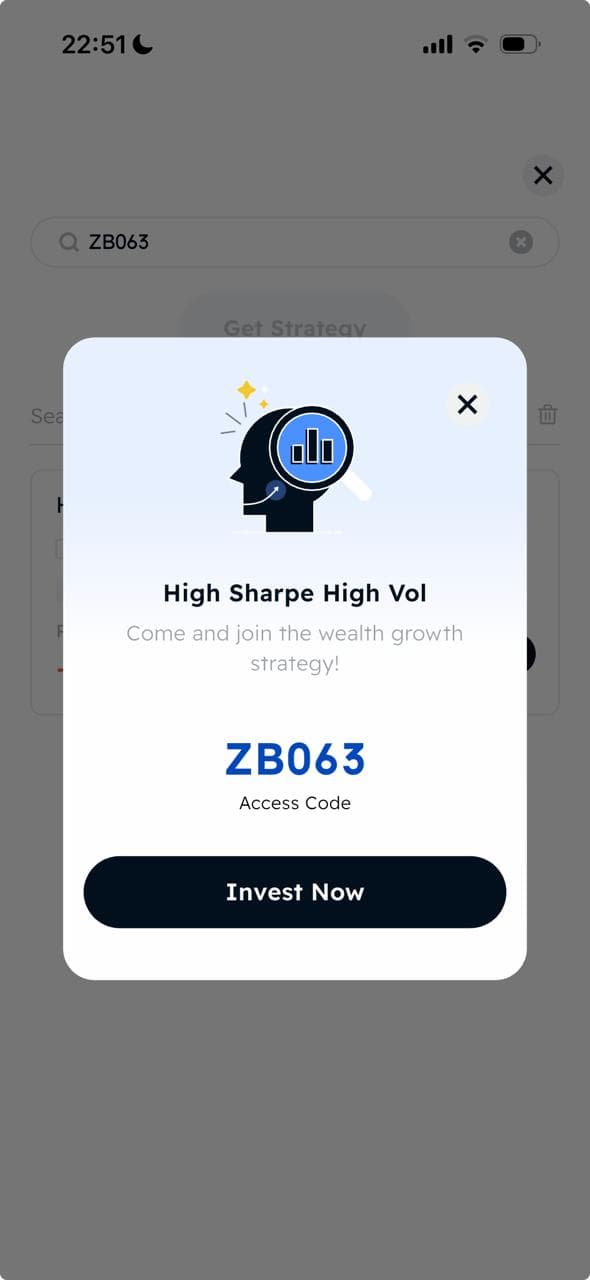
After pressing "Get Strategy", a pop-up will show your desired portfolio. Press "Invest Now".
Open The Buy-in Page
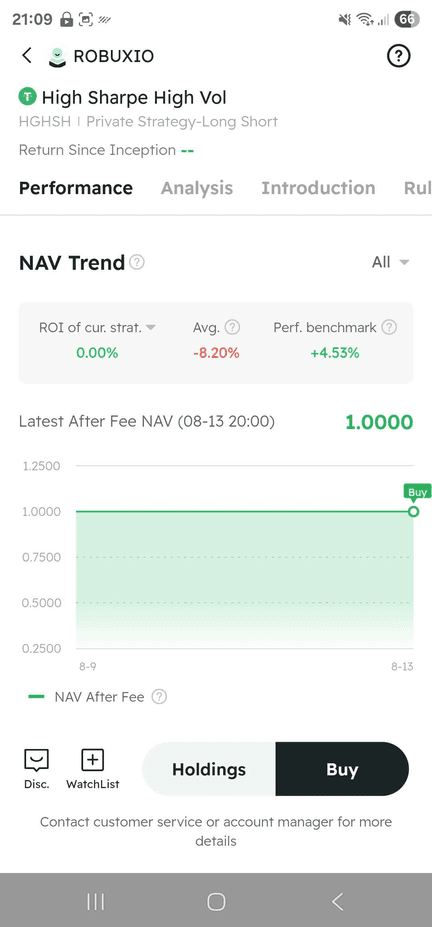
Press "Buy" to open the allocation window where you can specify how much you would like to invest.
Specify Your Allocation Amount
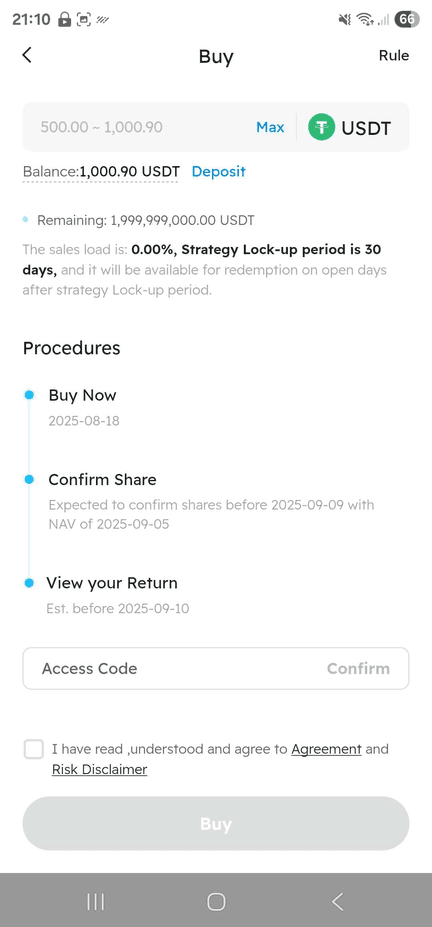
Input the amount you would like to invest at the top. You may be asked to re-enter the access code:
- BTC collateral → AB000
- USDT collateral → ZB063
Check the box confirming you have read the agreement and risk disclaimer, then press "Buy".
Subscription Confirmed
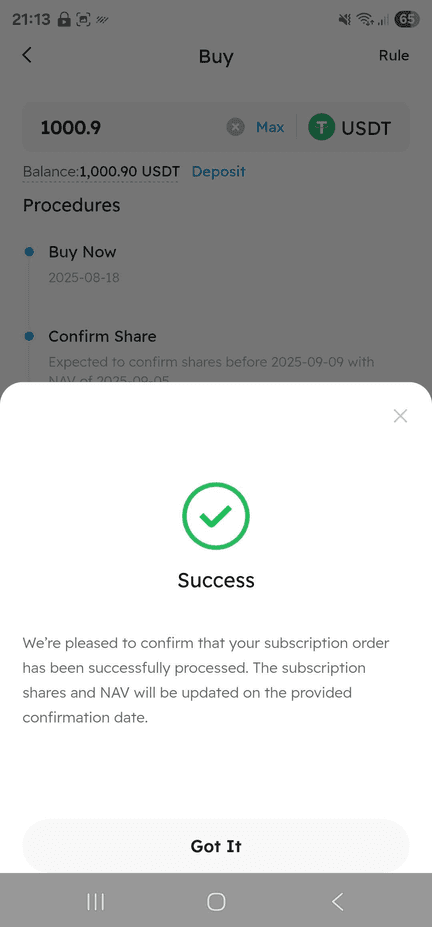
You will see a confirmation pop-up and receive a confirmation email once your subscription has been processed.
You're All Set!
Your funds are now allocated and trading will begin according to the monthly cycle.
Important Notes
Lock-up Period: Your funds will be locked up for 30 days at a time.
Performance Fees: 30% performance fees are automatically deducted above the high watermark.
NAV Reporting: The equity curve on BIT shows NAV (Net Asset Value) — performance fees are already deducted.
Redemption Fee: BIT charges an additional 0.5% redemption fee when you withdraw from the portfolio.