
Binance Portfolio Margin Setup
Setup guide for non-EU traders to maximize capital efficiency with cross-collateral BTC-ETH trading.
ETH/BTC Portfolio Margin Mode (Non-EU)
Advanced setup for Bitcoin/Ethereum-based trading setup outside the European Union
Portfolio Margin
Important Note For All Users: We trade USDT-settled futures offers as they offer the broadest tradable universe. While profits are realized in USDT, positive weekly profits are converted into BTC or ETH to accumulate them over time. This setup enables both the broadest tradable universe while taking advantage of the potential long-term collateral appreciation of BTC and ETH.
Portfolio Margin Advantages:Compared to "Classic Futures Mode", activating "Portfolio Margin" will enable you to not be forced to have auto-exchange on your potential negative USD balances. This avoids extra fees from these automatic conversions.
Step-by-Step Configuration
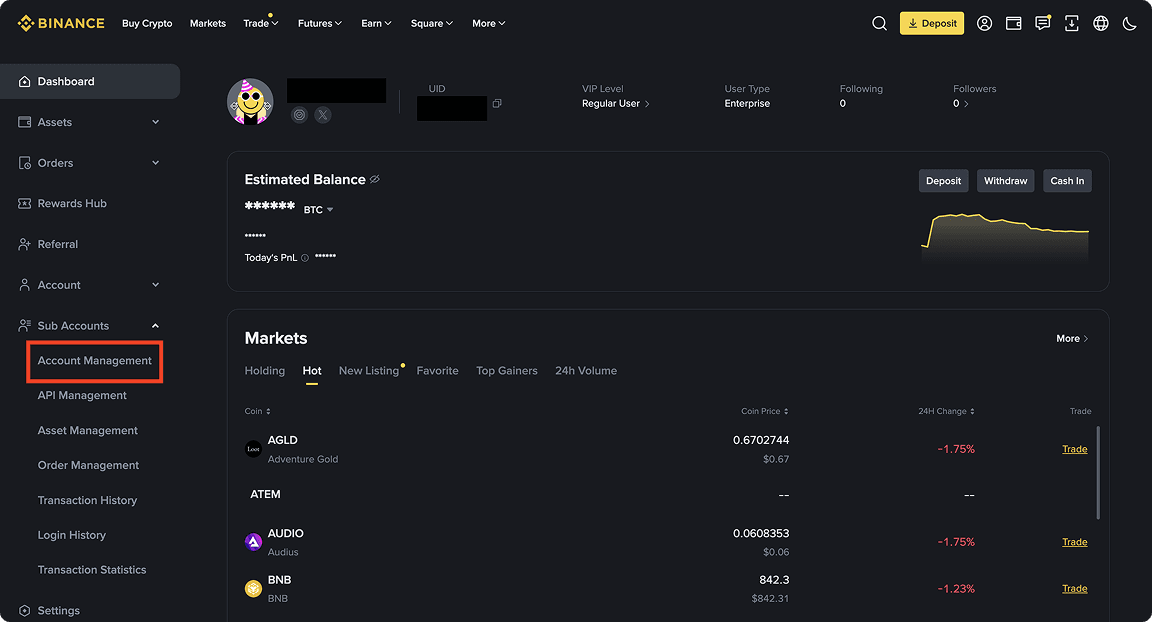
Navigate To Sub Accounts Management
Navigate to Subaccounts Management
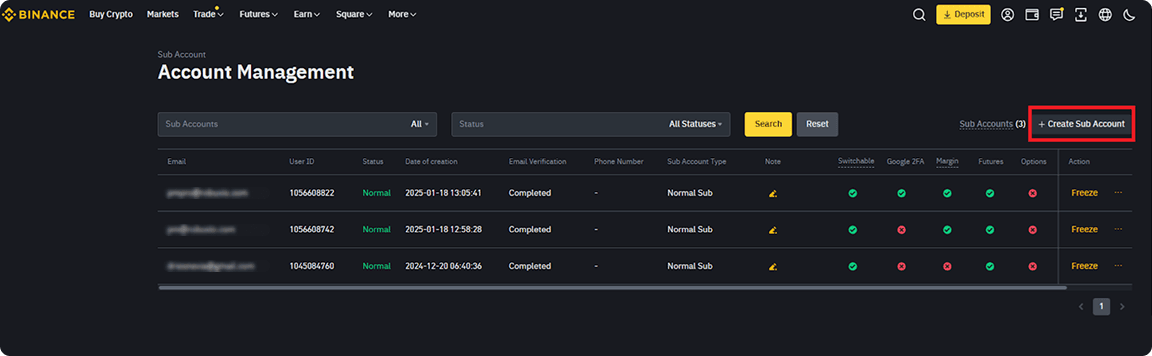
Click Create Sub Account
Click Create Subaccount
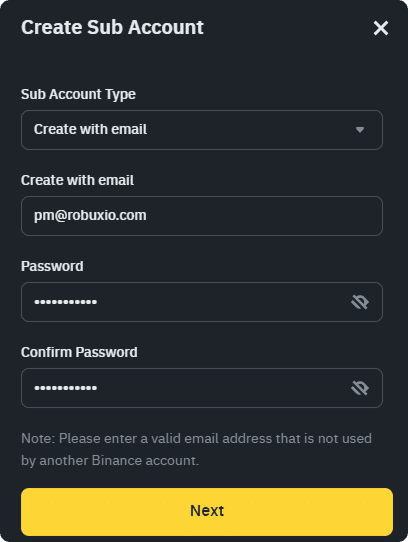
Select Create with Email
This allows switching later for the same user interface experience as the main account.
⚠️ Important: You must use a real email address (the email+alias@provider.com trick does not work). If needed, set up an email alias with your provider to manage this.
Select "Create with Email" option
Enter the verification code sent to the email and confirm.
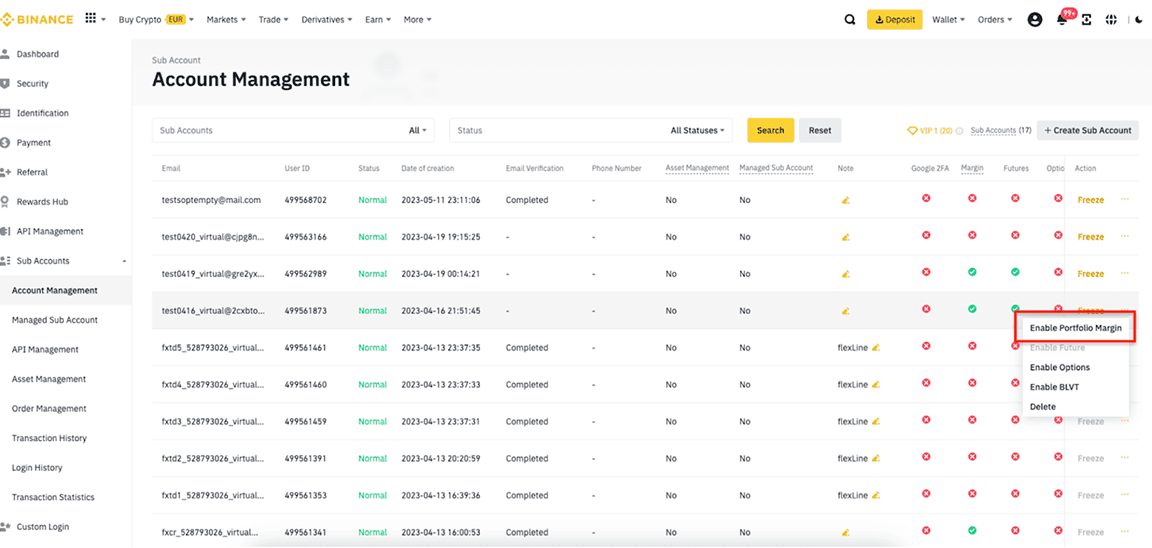
Enable Portfolio Margin
Key Advantage: Portfolio Margin mode provides better capital efficiency and avoids forced auto-swap fees.
Enable Portfolio Margin
API Management
Click API Management or go directly here
Navigate to API Management
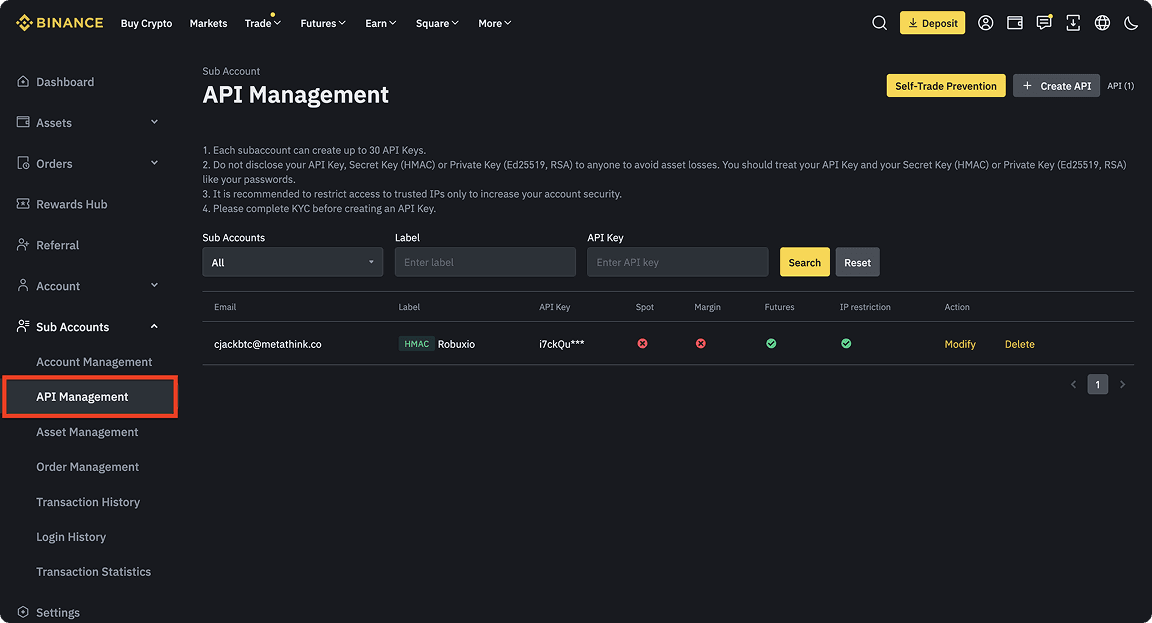
Create API
Click Create API

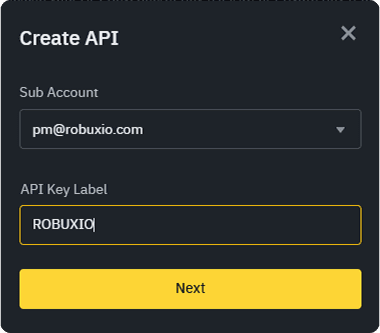
Configure API Keys
Select the correct subaccount and give the key a name (e.g., "ROBUXIO") – this is only for reference, any name works.
Configure your API key name
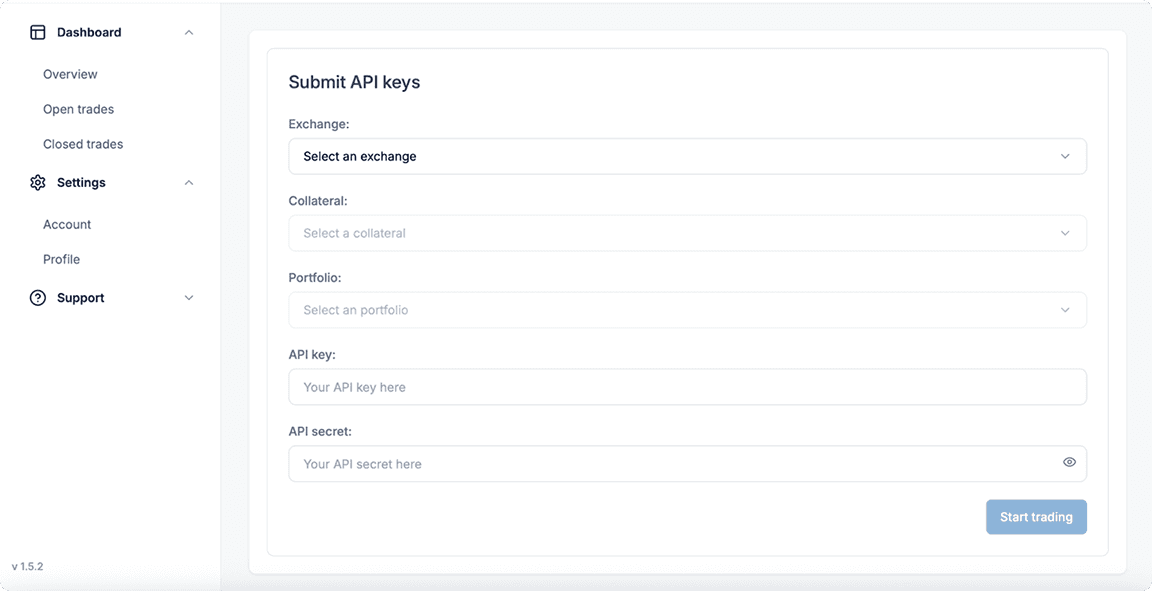
Copy API Credentials
⚠️ Critical: Copy your API Key and Secret Key immediately – they will only be shown once! Paste them into your Robuxio dashboard under "Settings" → "Profile" → "Add a new Profile"
Copy your API credentials immediately
Configure IP Restrictions
Press "Restrict Access To Trusted IPs Only" and input the 9 IP addresses below:
Configure IP restrictions with trusted addresses
52.194.221.7252.193.123.9454.64.179.21154.64.56.16252.198.114.1783.113.223.14418.181.70.12518.176.34.1813.230.199.38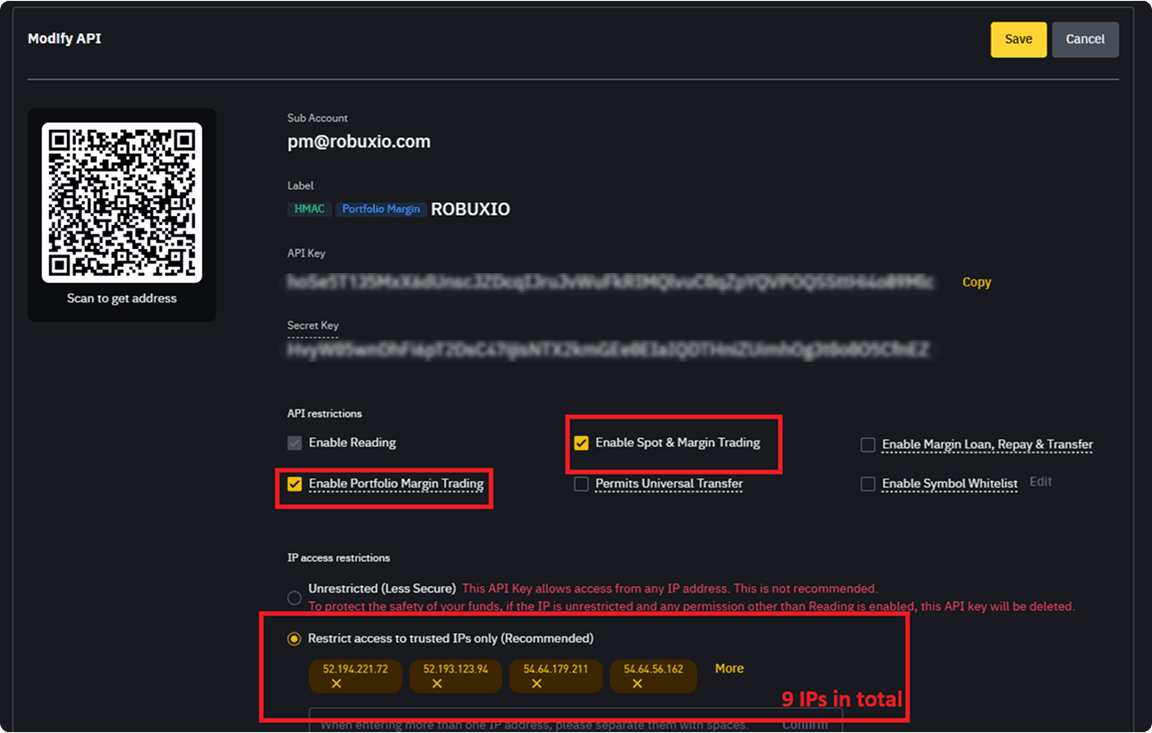
Enable Portfolio Margin Trading
Enable "Portfolio Margin Trading", "Enable Spot & Margin Trading" and "Save" your API keys
Enable Portfolio Margin Trading and Spot & Margin Trading
Transfer to Portfolio Margin
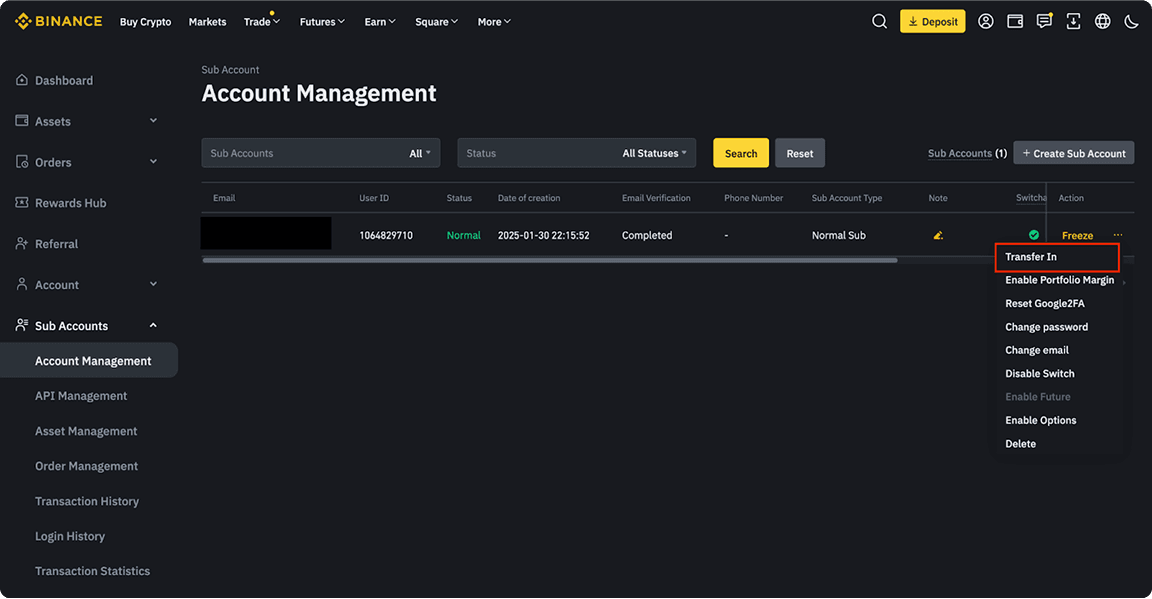
Navigate to Subaccounts Management and press on the "…" and press "Transfer In"
Click "…" and select "Transfer In"
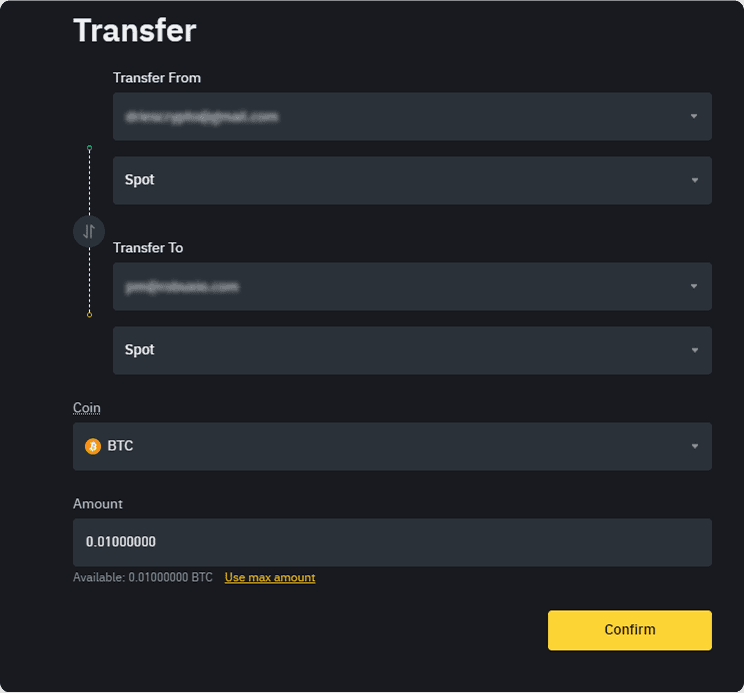
At the top, select your Main Account (where you deposited BTC or ETH). Transfer funds into the Spot Account of your new PM subaccount.
Transfer funds from Main Account to subaccount
Switch to Subaccount
Click Switch Account and select the subaccount where you will run the portfolio.
Switch to your subaccount
Internal Transfer to Portfolio Margin
Inside the subaccount, click Transfer.
Click Transfer inside subaccount
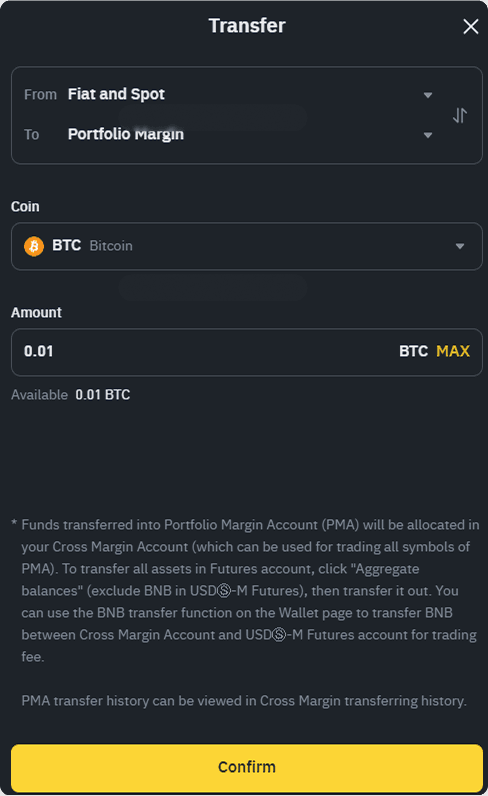
Transfer your BTC/ETH from Fiat and Spot to Portfolio Margin.
Transfer BTC/ETH from Fiat and Spot to Portfolio Margin
Setup Complete!
Once the funds are in your sub account USD-M Futures account and you see them in your Robuxio dashboard you are all set!