
How to Buy the Robuxio Equities ETI
Buy the exchange-listed iMaps Robuxio Systematic ETI (ISIN DE000AMC0DZ1) through Interactive Brokers, about 15 minutes from login to a working order.
The instrument you are buying
View live listing on Börse Stuttgart- Product
- iMaps Robuxio Systematic ETI
- ISIN
- DE000AMC0DZ1
- WKN
- AMC0DZ
- IBKR symbol
- AMC0FG
- Exchange
- Börse Stuttgart (EUWAX)
- Currency
- EUR
- Minimum
- 1 unit (~€1,000)
- Trading hours
- 09:00–17:30 CET
- Maturity
- Open end
Before you start
You need an Interactive Brokers account. Any other broker with access to Börse Stuttgart (EUWAX) works too (search the ISIN, place a limit order), but this guide shows the exact clicks at IBKR: the one-time account setup happens in the Client Portal (web), and the order itself goes through Trader Workstation (TWS) on desktop or the IBKR mobile app (pick your platform with the toggle in Part 2). Every screenshot was taken on a fresh, newly opened IBKR account, so what you see should match your screen.
Reported working on LYNX as well (LYNX+ and TWS). If the instrument isn't enabled for your account, write LYNX support to open it up (you may need to pass a short knowledge test first). That goes for other brokers too: if the ISIN isn't available, ask their support. Many can still offer it.
The ETI is a listed security under an FMA-approved base prospectus with a PRIIPs KID, so it is available to retail and professional investors across the EU/EEA and many other jurisdictions. Availability always depends on your broker and country of residence.
Part 1: Account Setup (Client Portal)
One-time setup: trading permissions and EUR funding.
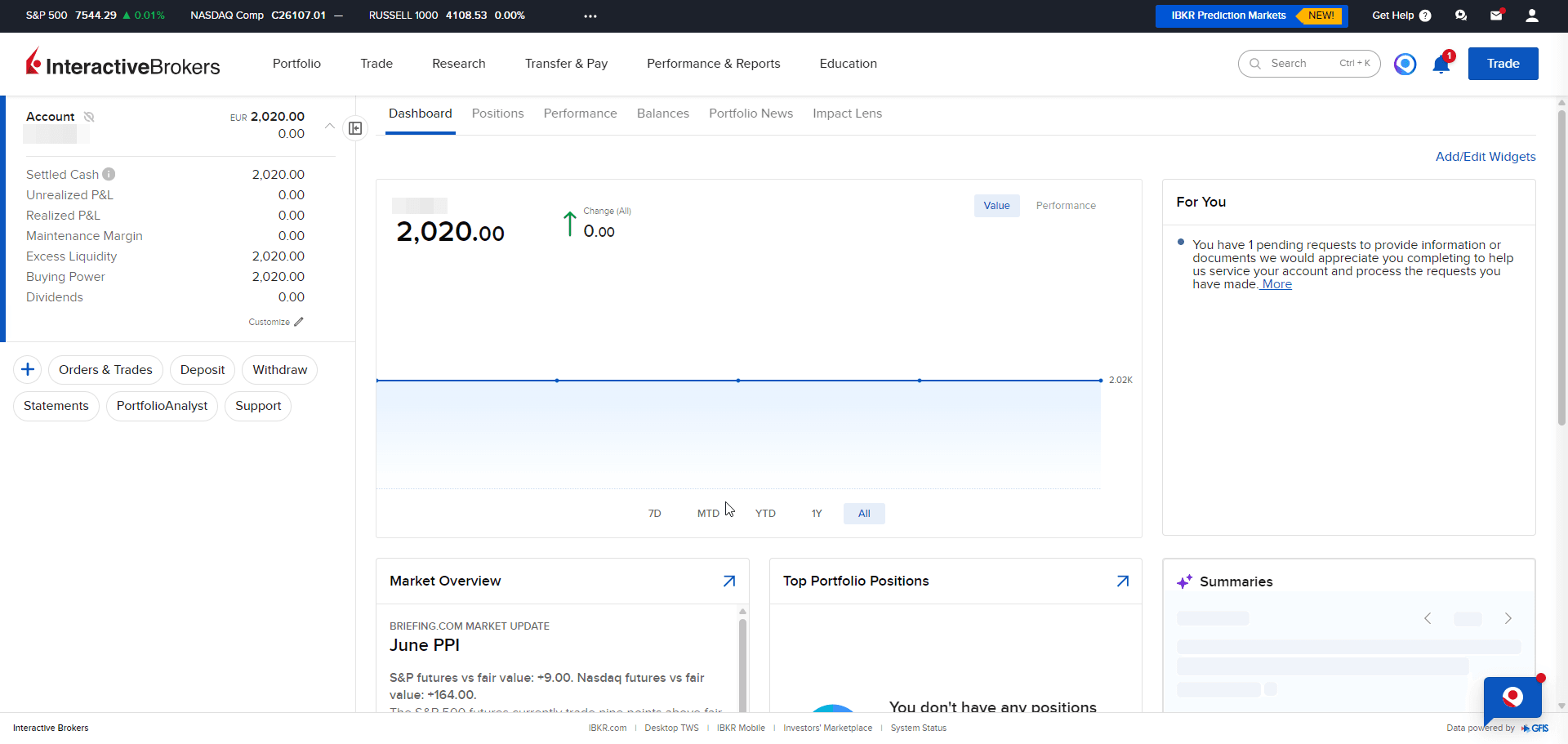
Log in to IBKR Client Portal
Sign in at portal.interactivebrokers.com. If you don't have an account yet, you can open one at the same address.
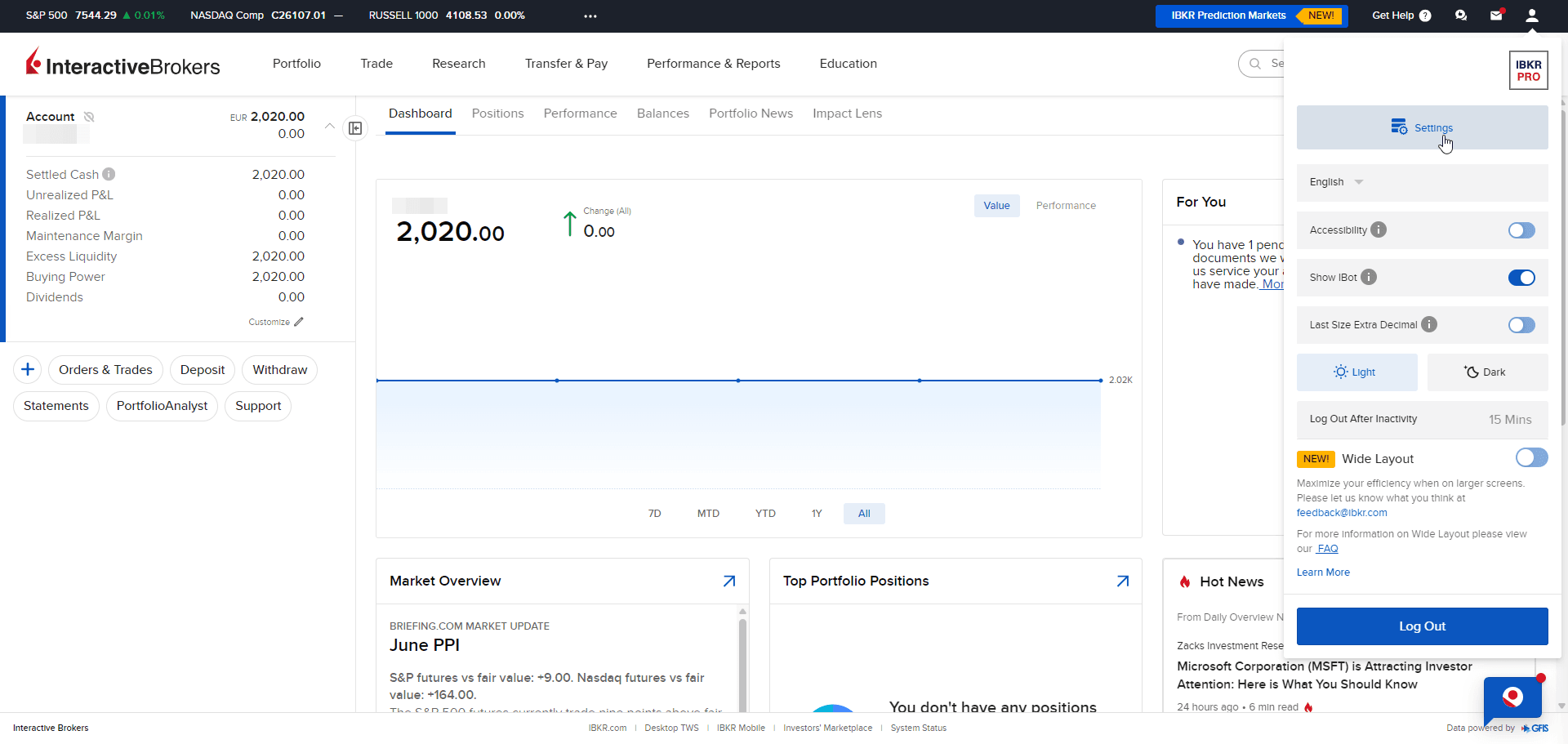
Open Settings
Click the person icon in the top-right corner and choose Settings.
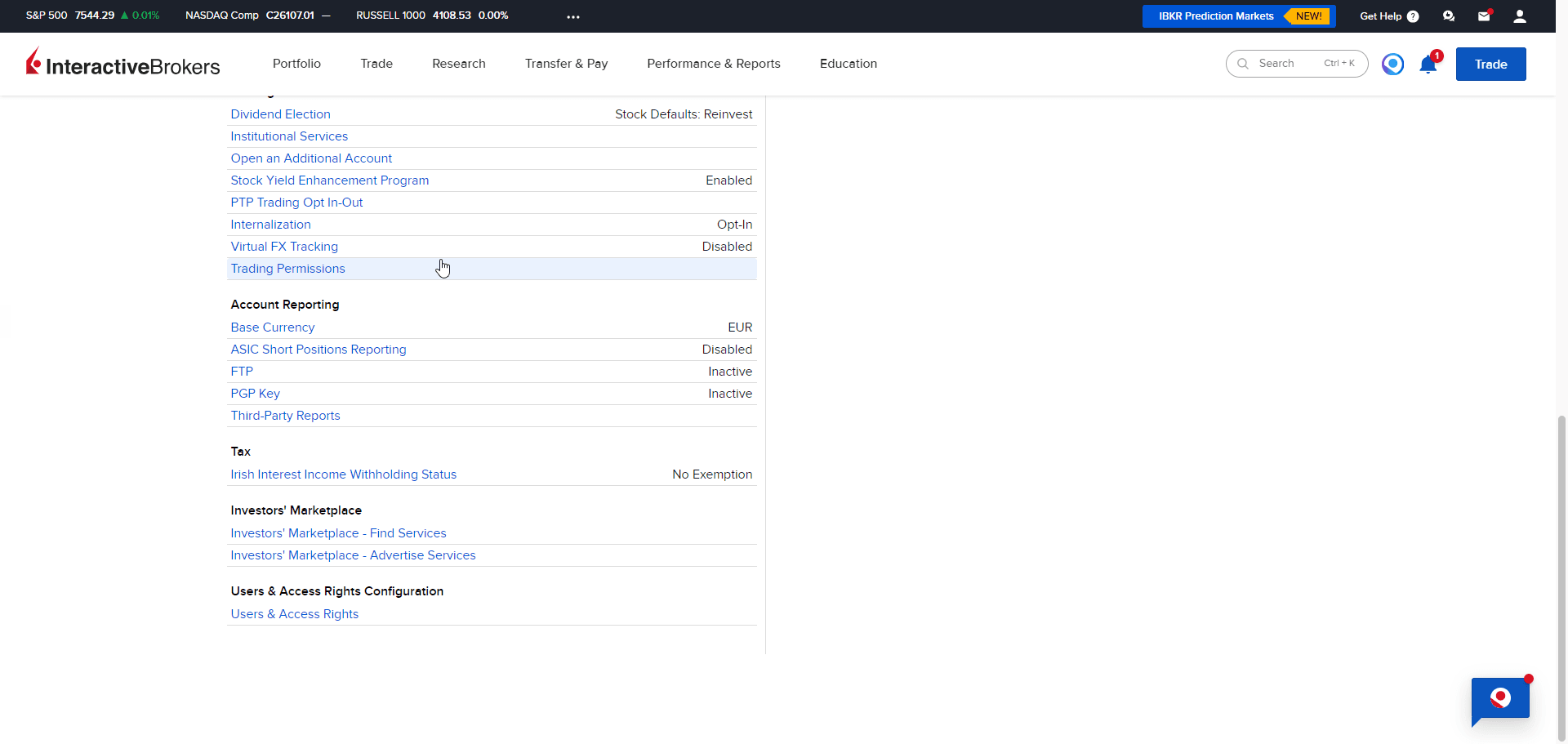
Go to Trading Permissions
On the Settings page, scroll down to the Trading section and click Trading Permissions.
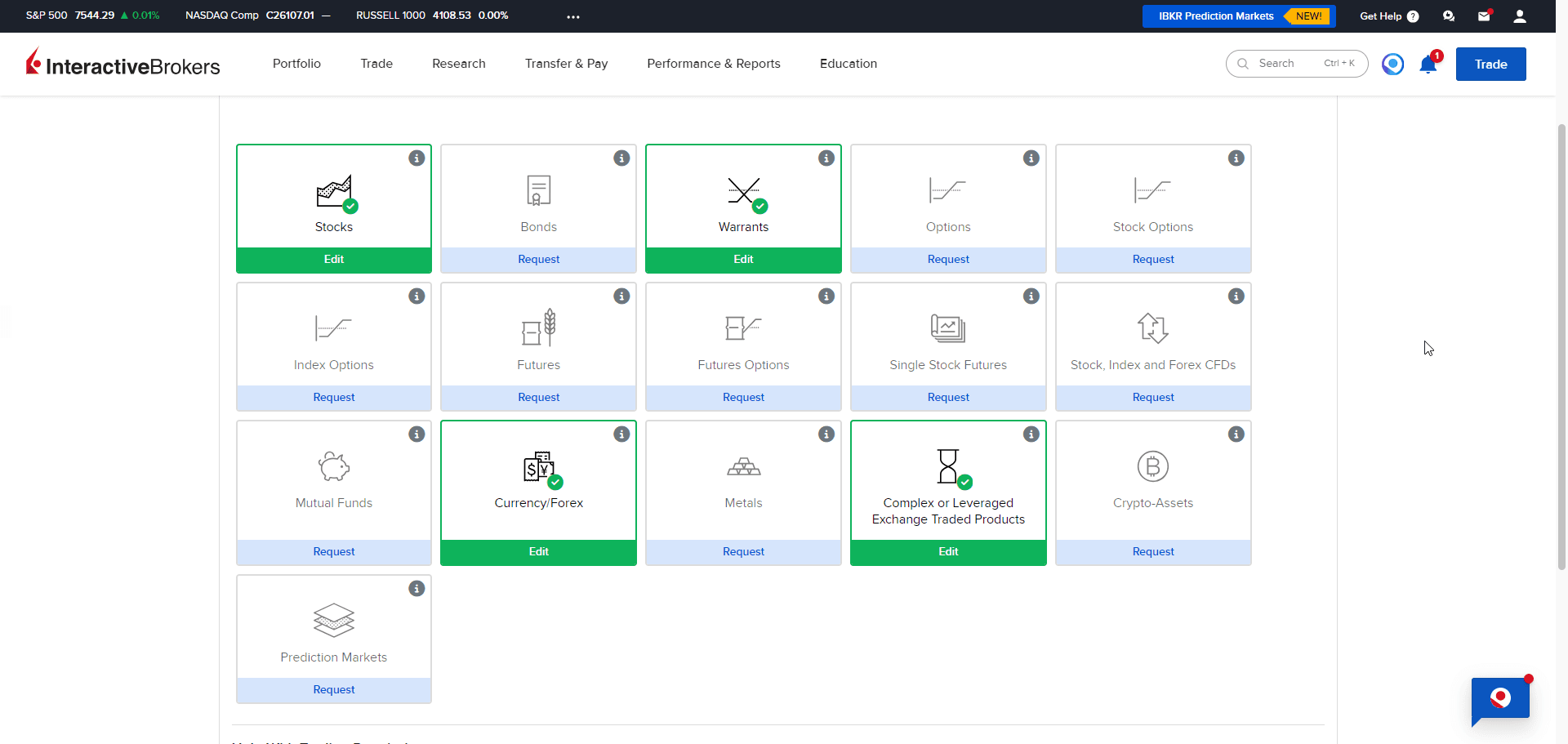
Enable the Right Permissions
The ETI is a German exchange-listed certificate, which IBKR files under Warrants. Enable Warrants and Complex or Leveraged Exchange Traded Products (both show a green check once active, as in the screenshot).
IBKR may show a short questionnaire about your trading experience. If a permission is still missing when you place the order, the order confirmation names it (you can add it from that prompt too).
Have EUR Available
The ETI trades in euros. Deposit EUR via Transfer & Pay → Transfer Funds, or convert an existing balance with Convert Currency. One unit currently costs around €1,000.
Part 2: Placing the Order
Pick your platform, Trader Workstation on desktop, or the IBKR mobile app.
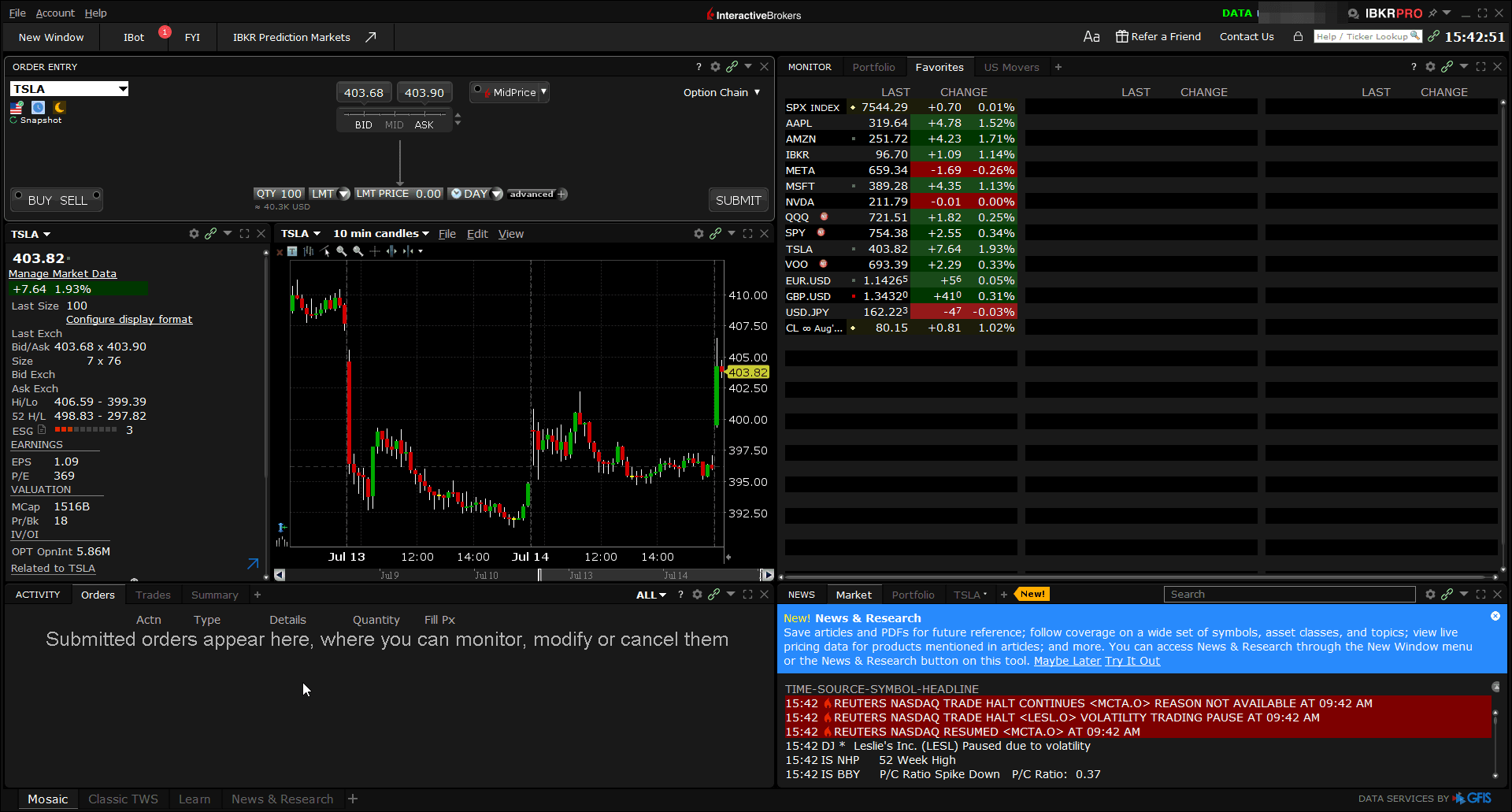
Open Trader Workstation
Log in to TWS with the same credentials and switch to the Classic TWS tab at the bottom of the window (the simplest layout to follow along with).
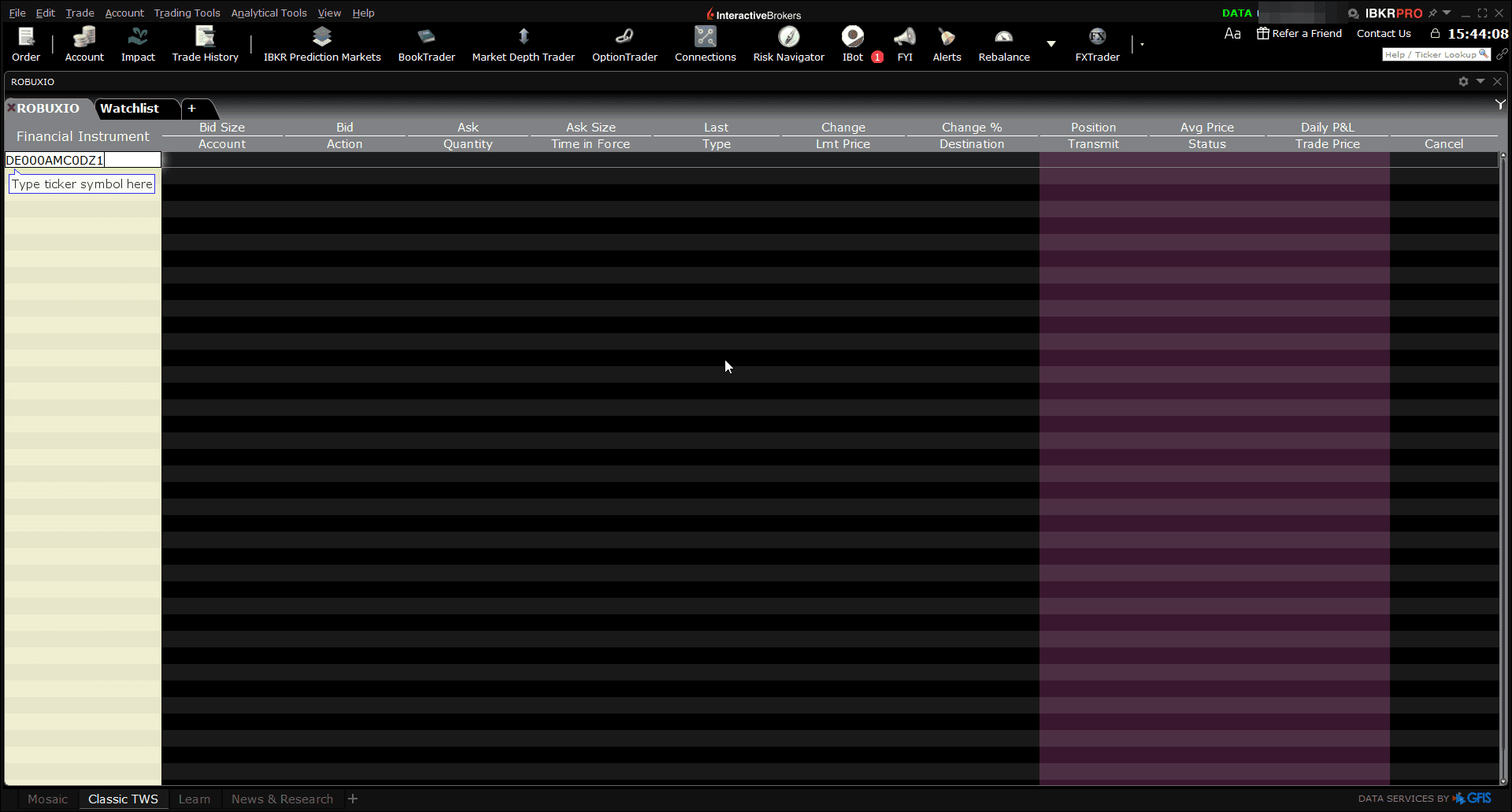
Enter the ISIN in a Watchlist Row
Click an empty watchlist row, type DE000AMC0DZ1 and press Enter.
The ETI shows up as AMC0FG, Structured Perpetual CALL (IMAPS, 1, Tracker) AMC0DZ. Don't let the symbol confuse you: AMC0FG is IBKR's own symbol for the instrument; the WKN AMC0DZ appears at the end of the name.
Quotes show n/a unless you subscribe to Börse Stuttgart market data. You don't need the subscription, check the live bid/ask for free on the Börse Stuttgart product page instead.
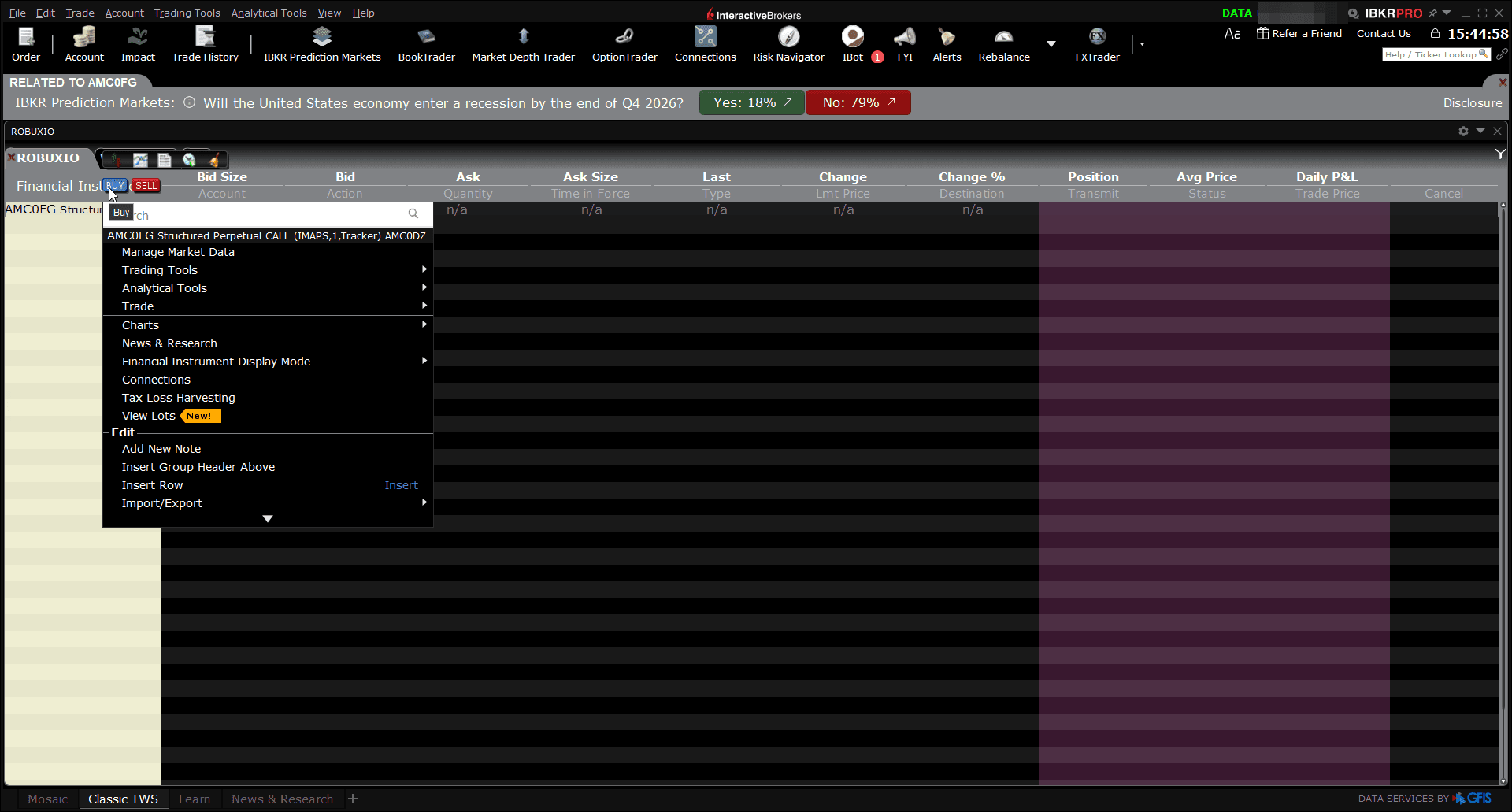
Click Buy on the Instrument
Right-click the instrument row and click the blue BUY button that appears next to the instrument name. A blue order row opens below the instrument.
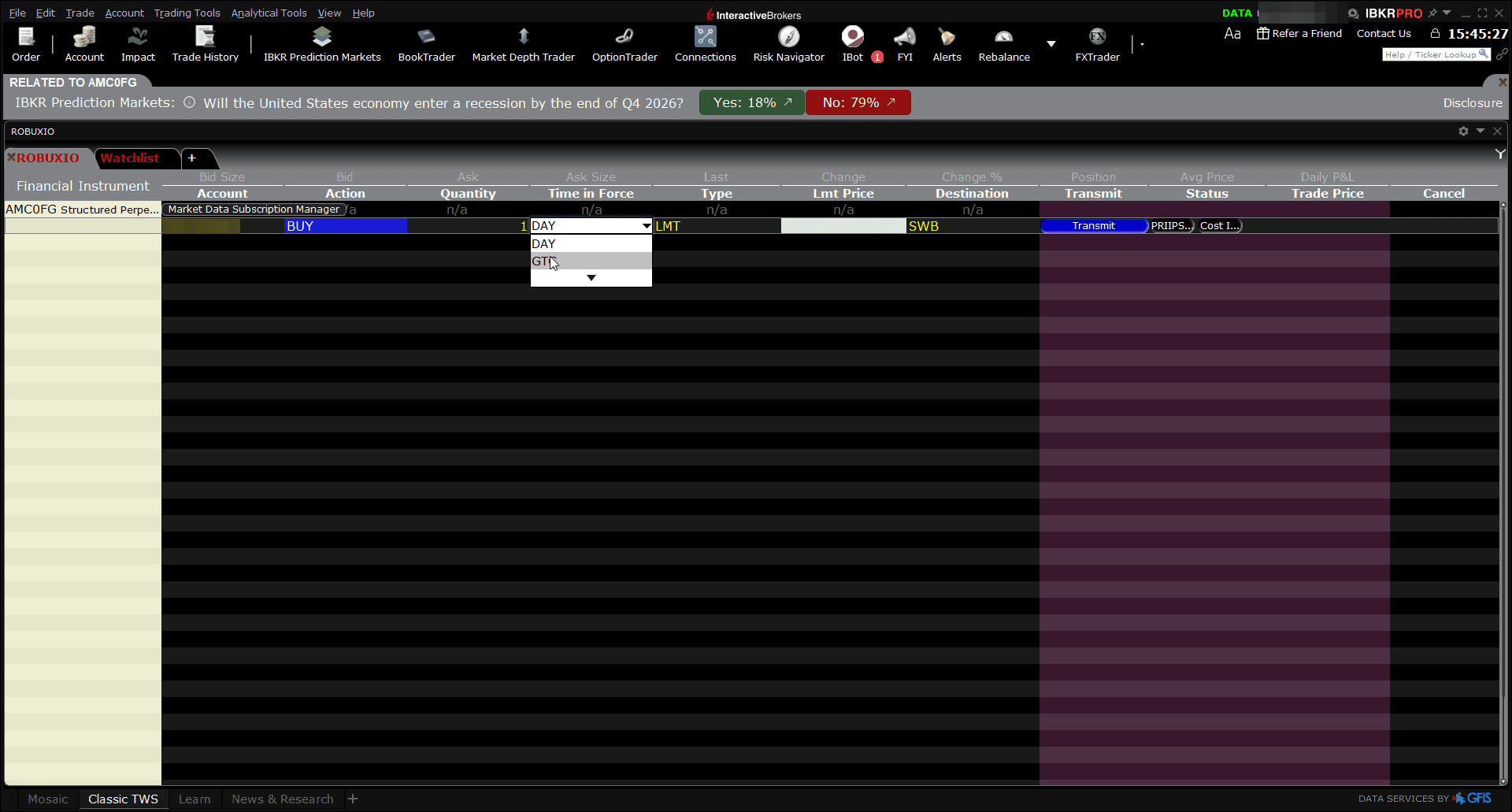
Set Quantity, Order Type and GTC
In the order row: enter your quantity (1 unit ≈ €1,000), keep the type at LMT, and set Time in Force to GTC (Good-til-Canceled) so your limit order rests on the exchange until the market maker fills it. (IBKR shows a notice that GTC orders auto-cancel at year-end, fine for our purpose.)
Set the Limit Price
Open the Börse Stuttgart product page and read the current ASK price (that number is your limit). In this example the ask was €1,010, so the limit is 1010 (buying 1 unit means spending at most €1,010). The Destination column should show SWB (Börse Stuttgart).
Use a limit order at the ask, not a market order. A limit order executes at the quoted price. Larger orders can take a few extra minutes to complete, the market maker doesn't post unlimited units at once and replenishes the quote until your full order is filled.
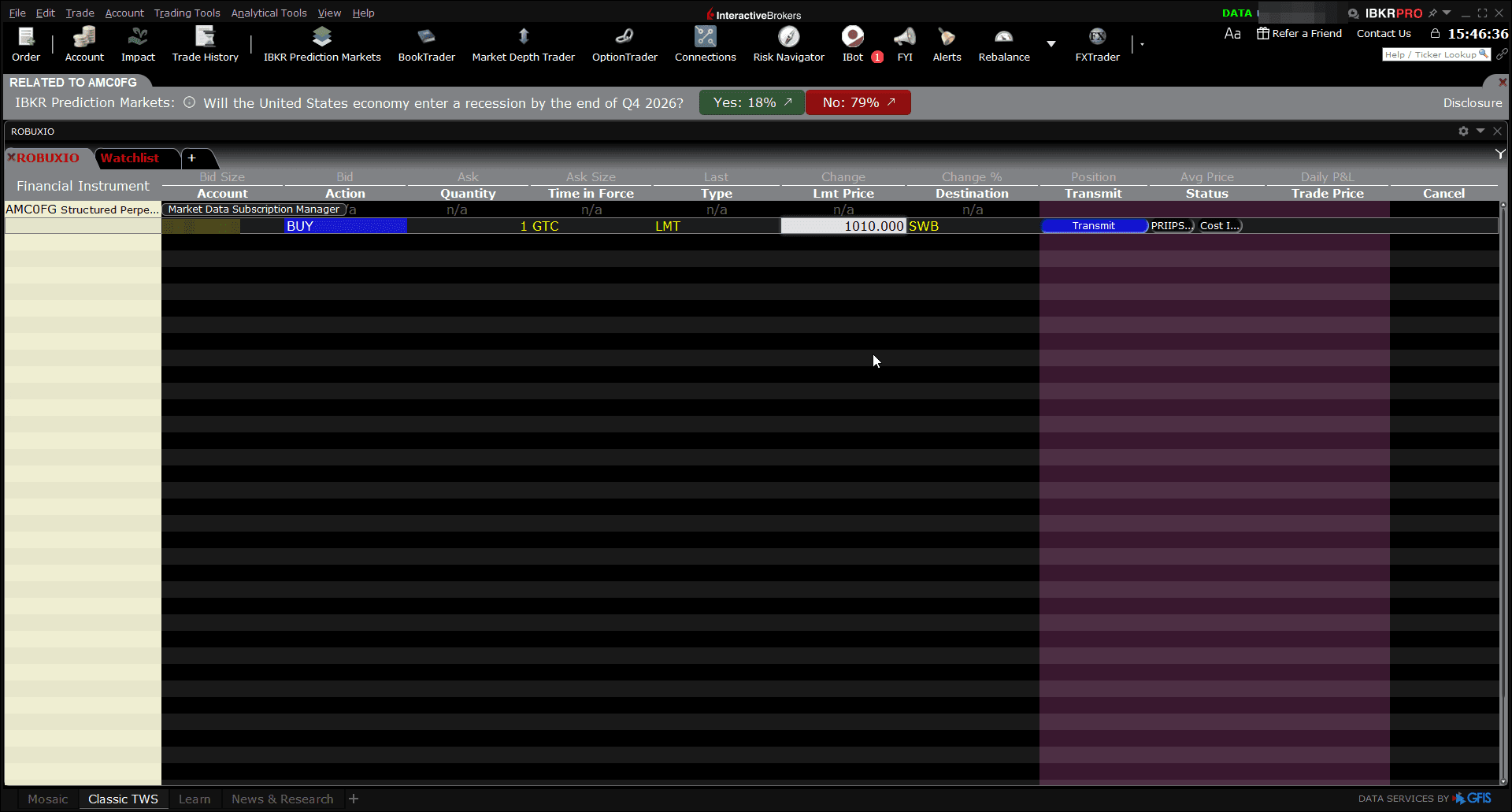
Transmit and Override the Market-Data Warning
Click Transmit. The order confirmation shows your order details and your post-trade balances.
Without a market-data subscription, IBKR adds a warning about submitting an order "without having market data". That's expected (you already checked the live price on Börse Stuttgart), so click Override and Transmit.
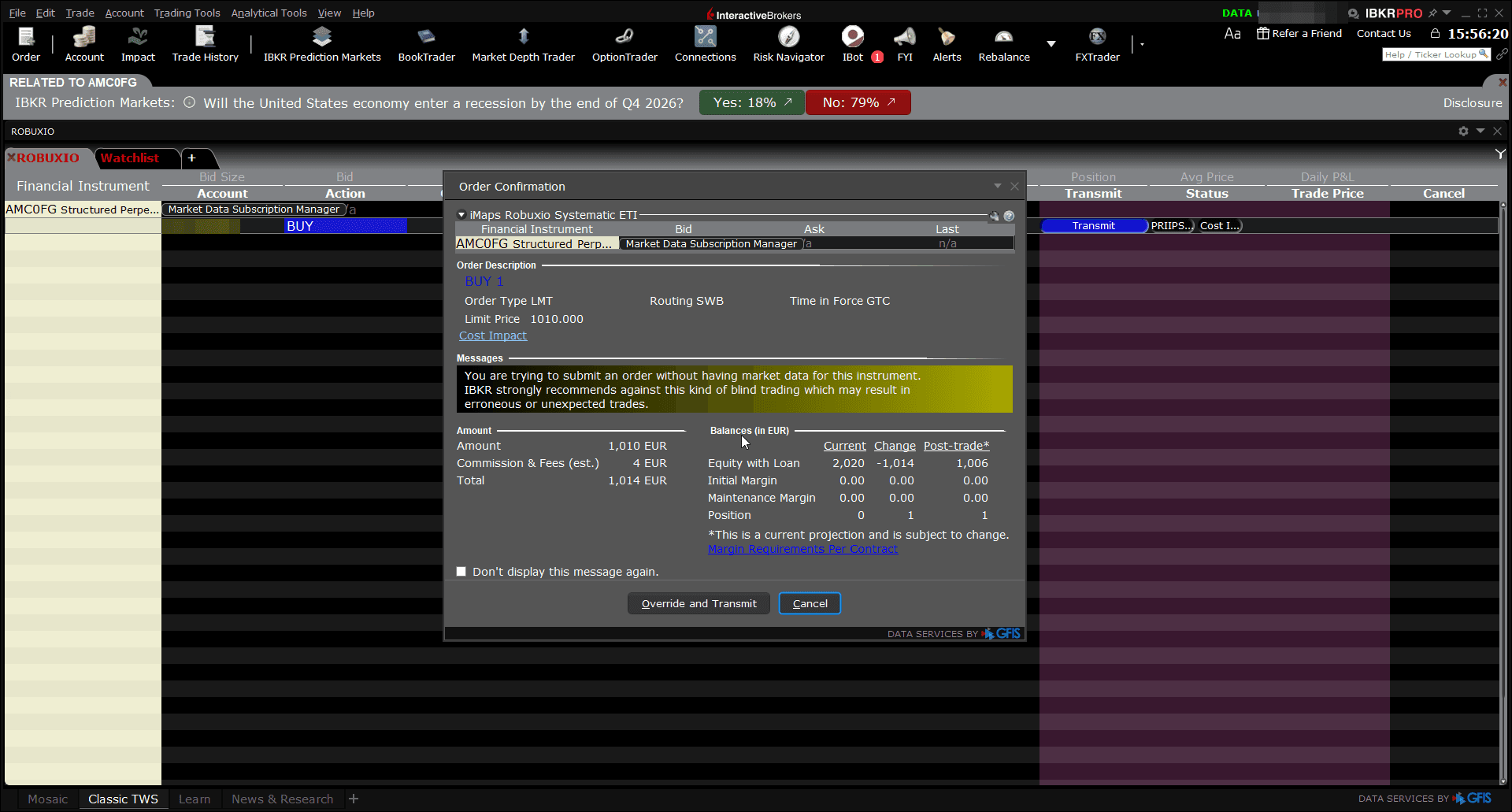
Confirm Your Position
Your GTC limit order rests on the exchange until the EUWAX market maker fills it (during trading hours that's usually quick). Once filled, the position appears in your Portfolio (in TWS and the Client Portal) and settles like any listed security (no separate onboarding with iMaps or Robuxio needed). Selling works exactly the same way: daily liquidity is provided on the exchange.
In our walkthrough the order filled within a minute: "Order Complete: BOT 1 AMC0FG @ 1010.000" (1 unit at €1,010).
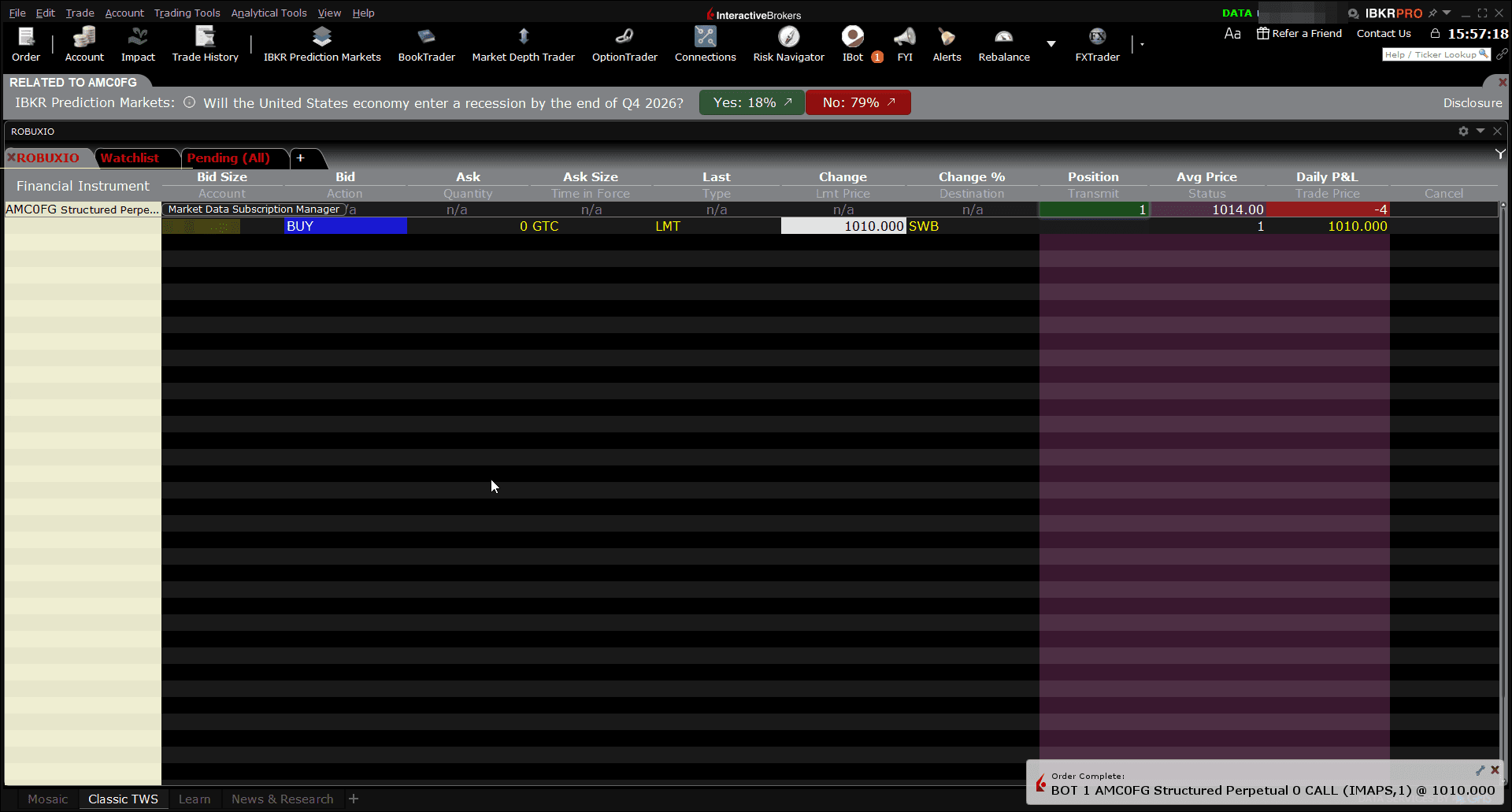
Liquidity: what the displayed sizes mean
On the Börse Stuttgart page you'll see sizes next to the quote, for example bid €990 × 10 units, ask €1,010 × 49 units. Those are the market maker's currently posted quote sizes, not the total liquidity available. The ETI trades quote-driven: the EUWAX market maker continuously quotes both sides around the portfolio's NAV and simply replenishes the quote when an order consumes it. Larger orders typically complete within minutes, usually without moving the price.
Because pricing is anchored to NAV (and the ETI is open-end, so new units can be issued as demand grows), buying size doesn't push the price up the way it would in a thin order-book stock.
That's it, you're invested
Your position tracks the Robuxio Systematic Equities portfolio net of all fees. NAV is published daily, and performance is reported on the equities page and in the monthly reports. Questions before investing? Book a call.
For informational purposes only. This is not investment advice or an offer to invest. Past performance is not indicative of future results. All investments involve risk, including possible loss of capital. Availability depends on your jurisdiction and broker; read the base prospectus and KID before investing. Interactive Brokers and LYNX are independent brokers unaffiliated with Robuxio; platform screens shown may change.